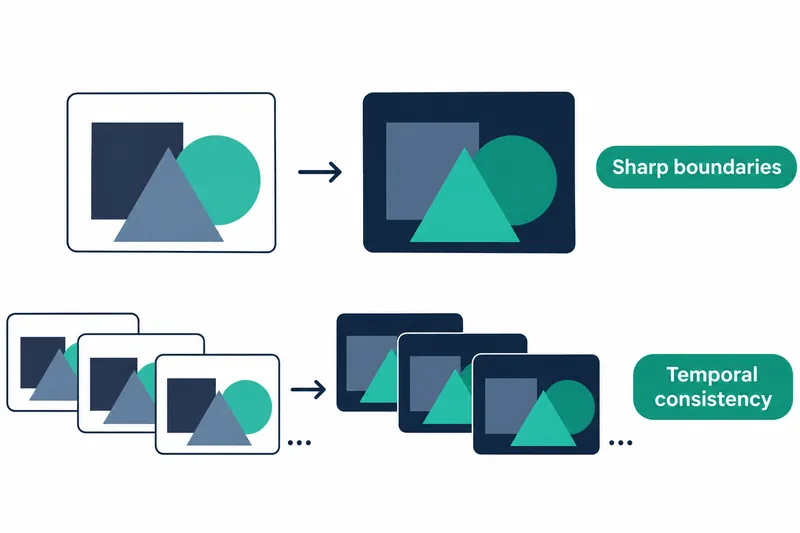
Apple released a model that predicts distances to objects in meters from a single photo or ordinary camera video. Photo and video editing developers can use it to preserve fine boundaries such as hair while reducing frame-to-frame fluctuations in estimated object distances.
1. One model for photos and videos
Single-image depth models capture sharp boundaries in individual frames, but distances can vary between frames. Video models that use multiple frames stabilize depth changes but tend to smooth fine boundaries. The paper identifies this trade-off as a challenge in existing depth estimation.
Depth Pro 2 was trained to process anything from a single photo to 32 frames together. It preserves detail at native resolution and shares information across frames to stabilize object depth. It first analyzes information within each frame, then alternates attention within and across frames. It reconstructs a depth map for each frame, an image containing the distance at each pixel.
2. Focal length sets the depth scale in meters
Converting depth to meters uses the focal length recorded in a photo, an optical distance describing how a lens focuses light, or a value from a separate estimator. For video, the median of estimates across frames provides one shared focal length. Like calibrating a ruler, focal length determines the scale of predicted depth.
According to the company, the following results average the share of photos with a focal-length relative error below 25% across six evaluation datasets.
Table: Focal-length estimation accuracy
Conditions: Paper Table 6; six datasets not used for training; average share with focal-length relative error below 25%
Unit: %
| Model | Average accuracy |
|---|---|
| Depth Pro 2 | 88.6 |
| Depth Pro | 71.7 |
| UniK3D-L | 57.8 |
It achieved a higher share than existing models in the same evaluation. This is an important improvement for estimating depth in meters from photos and videos without focal-length information.
3. Evaluating video boundaries and temporal stability
According to the company, the following video evaluation uses data not used for training. Boundary F1 measures how well actual object boundaries are detected; higher is better. Jitter measures depth fluctuations while tracking the same point; lower means greater stability.
Table: Video boundary sharpness and temporal stability
Conditions: Paper Tables 4(b) and 5; 50-frame clips; each model's official inference resolution; single-image models process each frame separately. Inverse-depth scale and offset are aligned per frame for F1 and once per video for jitter. Jitter tracks unoccluded ground-truth points.
Units: F1 score; jitter is 100x the original value
| Model | Sintel F1 | Spring F1 | DyDToF F1 | Sintel jitter | Spring jitter |
|---|---|---|---|---|---|
| Depth Pro 2-H+ | 43.4 | 16.8 | 34.4 | 1.39 | 0.86 |
| InfiniDepth | 44.8 | 11.8 | 30.5 | 7.66 | 9.48 |
| Depth Pro | 36.3 | 12.7 | 24.8 | 11.26 | 8.99 |
| π3 | 11.6 | 4.2 | 6.8 | 2.13 | 1.04 |
| DepthCrafter | 24.8 | 7.7 | 15.9 | 2.09 | 1.07 |
| VGGT-Ω-1B | 10.8 | 4.9 | 7.5 | 2.36 | 0.99 |
Under the same video conditions, H+ had higher boundary scores on three datasets and lower jitter on two datasets than the existing Depth Pro.
InfiniDepth led on Sintel boundary scores but showed larger depth fluctuations. This illustrates the difference between sharp boundaries alone and results that work well across an entire video.
4. Choosing video length and processing mode
By default, video files are processed in groups of 16 frames with a 4-frame overlap between groups to soften depth changes at group boundaries. According to the company, H+ recorded jitter of 0.291 on a 300-frame, 720p DynamicReplica video with this setting.
On synthetic 720p input using one B200, throughput was 21.7 frames per second and peak reserved memory, the memory space set aside by the runtime, was 10.0GiB. Measurements supplied focal length to exclude the estimator and used PyTorch eager execution, which runs operations as they are called.
Precision used bf16 automatic mixed precision, which varies precision by operation, with the depth output head computed in fp32. Figures are medians of three runs per configuration.
Camera input also supports a mode that produces a result as each frame arrives. It caches past frames' computation results in temporary storage for reuse by the current frame, reducing the wait for future frames.
5. Performance benefits and resource costs
High-resolution input and temporal information improve both detail and stability, but increasing resolution and the number of frames referenced at once also raises memory and compute demands. According to the company, smaller models ran faster and larger models used more memory on the same 1080p clip.
Table: Video processing resources by model size
Conditions: Paper Table 13; one B200; batch processing of 32 frames from Spring 1920×1080 video; PyTorch eager execution and bf16 automatic mixed precision; focal-length estimation included
| Model | Throughput (frames per second) | Peak reserved memory (GiB) |
|---|---|---|
| Depth Pro 2-S | 44.8 | 8.0 |
| Depth Pro 2-B | 23.6 | 14.0 |
| Depth Pro 2-L | 9.1 | 21.7 |
| Depth Pro 2-H+ | 5.3 | 29.5 |
These measurements cover batch processing, including focal-length estimation. Developers can choose a size based on their required processing speed and memory at the target resolution.
6. Start with photos using the released code
The repository provides the following photo-processing example. Loading a photo and passing it to the model yields depth in meters for each pixel.
import av
from depth_pro_2 import create_model_and_transforms, load_rgb, upright

model, transform = create_model_and_transforms("depthpro2-h")  # on the GPU if there is one

# A photo. f_px is the focal length recorded in the photo, or None.
image, f_px = load_rgb("assets/example.jpg")
depth = model.infer(transform(image), f_px=f_px)["depth"]  # meters, shape (height, width)
The repository provides inference code without training or evaluation code, and weight use is limited to noncommercial scientific research and academic development. The beginning of a video processed as frames arrive is relatively less stable because fewer past frames are available for reference.
Depth Pro 2 combines sharp boundaries with frame-to-frame stability, while model size should match the target video's processing speed and memory budget.