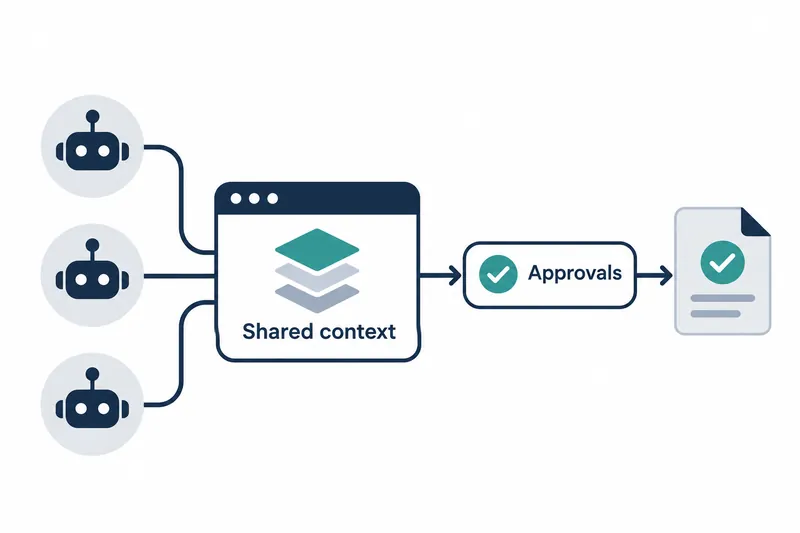
AutoSwarm has released a desktop app that brings multiple coding agents' work and approval requests into one window. Developers can continue agent conversations, direct workers, or respond to approval requests escalated to them.
1. Version 0.1.1 for Windows
The Desk 0.1.1 GitHub release was published on November 20, 2026. The repository documentation covers Windows and macOS apps, but this release's executable assets are for Windows. The release notes explain how to run the installer and portable archive.
The Windows installer installs for the current user without administrator privileges and includes Python. The portable edition runs after extracting the archive.
Running from source requires Node.js 20 or later and Python 3.10 or later. Below is the launch example from the repository documentation.
cd desktop
npm ci
npm start                                  # or npm start -- --home="D:\AutoSwarm records"
npm run demo                               # sample data, no real agents
2. Find and resume earlier discussions when switching agents
Desk has personal assistant chats and main chats. Each assistant agent's conversation continues separately when switching agents. The newly selected agent receives earlier chat titles and session identifiers, which distinguish individual task conversations. It reads recent conversations as needed. This lets a new agent find and resume earlier discussions.
Starting a main chat involves selecting the main agent, work folder, model, reasoning effort, and permission level. Reasoning effort sets how much computation goes into finding an answer. Each agent supplies its model list. The documentation says CodeBuddy's first model lookup takes about 1 minute, with later lookups using the saved list.
Workers in a main chat appear in that chat's worker panel. During execution, agent text is visible and tool calls collapse into single lines. Web and document links in replies can open in side-panel tabs. Users can message running workers directly or stop the entire conversation.
Images and files can be pasted or dragged into messages. They are saved with the conversation history. Agents that support images receive them directly; others receive their saved locations. Main agents also pass file paths to workers.
3. Review approvals and questions on cards
Requests needing approval or answers appear as cards showing commands to run or files to change. Worker requests first go to the agent that initiated the work. If that agent cannot decide, it asks the user. Desk does not approve on the user's behalf.
Notifications can report pending requests and completed or failed conversations. The app can also be set to start in the notification area at login. On macOS, an icon appears in the menu bar, and the Dock icon shows the pending count.
Settings let users create automation rules pairing conditions with actions. For example, a rule can announce the chat name when Codex awaits approval, or ask an assistant agent to investigate when a chat fails.
4. Convenience and operational overhead
Viewing progress, work assignments, and requests awaiting human judgment in one place reduces the need to reconcile status across windows. Users still handle each agent's installation, login, and permissions. A unified work view thus comes with the ongoing effort of managing execution environments.
The Windows installer edition checks for new versions at startup and every 6 hours while running, downloading them in the background. If agent sessions are active, installation is deferred until the next exit to avoid interrupting them. The Windows installer and macOS app may show code-signing warnings related to verifying file origin and integrity. The macOS and Windows portable editions require manual downloads of new versions.
5. How records and permissions work
Desk reads task progress from each agent's session records rather than copying its entire conversation history. AutoSwarm separately records some unreadable calls during execution. Records are stored at calls/<id>/events.jsonl, capped at 64 MB per call.
Permission levels follow each agent's own settings by default. Users can select permission modes offered by the agent. Desk routes chat creation, messages, and approval responses through AutoSwarm CLI, a command-line tool. Interface actions thus connect to the existing workflow.
Desk 0.1.1 centers on connecting conversations and tasks across agents and bringing moments that require human judgment into one place.