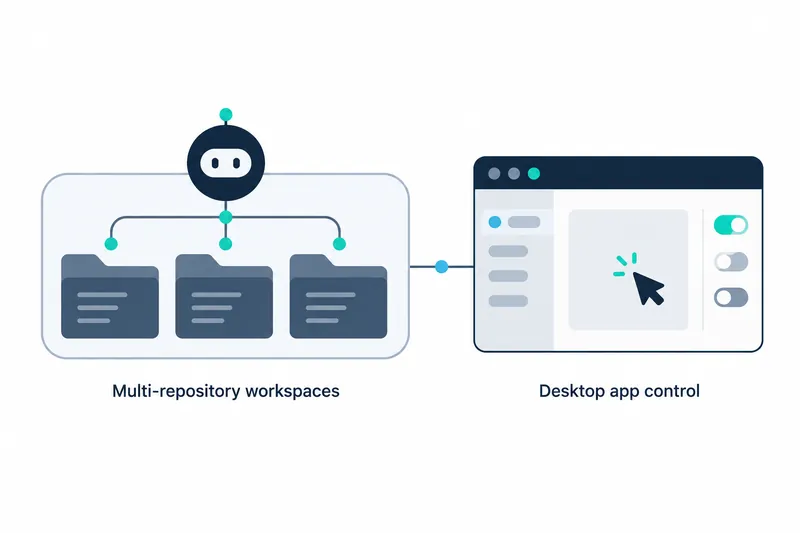
GitHub introduced Projects in the Copilot app as a public preview, a trial release before general availability, for working with multiple repositories and resources. Developers can gather related context and tasks in one place, delegate them to Copilot, and review the results. They can also ask Copilot to carry out procedures in desktop apps.
1. Group work across repositories into projects
Work may extend beyond a single repository or session. A feature may span multiple repositories. Work such as release planning may involve gathering specifications, documents detailing requirements, designs, and assets without touching a code repository. Projects brings together the context, agents, programs that perform assigned tasks, and results of this work.
Copilot coordinates project work in the background, out of view, and checks with users when needed. Projects is currently in public preview. For focused work within one repository, users can still start a session directly in that repository.
2. Provide goals and resources for agents to prepare results
Users start a project, describe their goal, and add the necessary resources as context. Examples include repositories, design mockups that preview draft designs, Slack conversations, and design meeting notes. Users can also select models and tools for the work.
Copilot launches agents to match the scale of the work and brings back results for review. The source gives pull requests, proposals for reviewing code changes, as an example of results. Users can review the results and use them in subsequent work.
Project automation can handle recurring work. GitHub gives the example of creating a new promotional video whenever a feature ships. Instead of restarting the same request each time, users can delegate recurring tasks to a project.
3. Include related resources and image work
Context from connected tools can help investigate requests, draft specifications, and review designs alongside code. The source names Slack and Figma as examples of connected tools. This brings work details that are difficult to grasp from repository code alone into the project's resources.
Users can also generate or edit images using natural language in Copilot conversations. This allows research and visual work surrounding code tasks to be handled in the same app.
4. Desktop app work follows approval and management settings
Computer use is available in public preview on macOS and Windows. Copilot can read desktop app content, click on-screen controls, enter or edit text, and switch between apps. This includes apps without an API, a command-line interface for executing functions by typing commands, or MCP integration, a standard connecting apps and external tools.
GitHub gives expense report processing as an example workflow to delegate. Copilot requests user approval before controlling apps, and organizations can disable the feature through management settings. On macOS, users must grant Accessibility and Screen Recording permissions.
5. How to enable and use the features
To get started, download or update the GitHub Copilot app. For computer use, turn on Enable Computer Use under Computer Use in settings; macOS users must also grant the required permissions. GitHub also provides detailed guidance and a way to join GitHub Community discussions.
Projects provides a coordination space for multiple repositories and linked resources, while computer use extends the scope to tasks performed through app screens. Computer use requires user approval and operating system permissions, and both features are in public preview. Organizations should therefore consider access permissions and management settings during adoption.
The core of both features is an expanded scope of work that users can delegate to Copilot, from gathering code and resources to operating desktop apps.