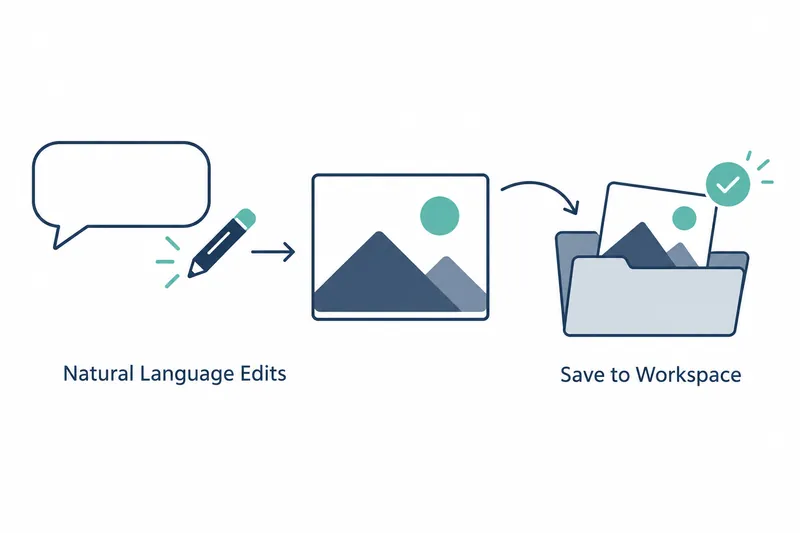
GitHub Copilot has added natural-language image generation and editing in public preview, a public trial before general release. Developers can request images in chat, review the results, and save them to their project workspace. This reduces the need to switch to another tool to create images and then import them.
1. Generate images in conversation and review the results
Describing the image you want in a Copilot chat session starts generation. You can request images for a new task or during ongoing coding work in the same session. This preserves the working context without switching to a separate image generation interface.
When you request an image, your selected reasoning model calls a dedicated image generation tool. This model determines responses and actions from your input. The conversational model interprets the request and delegates image creation to the specialized tool. The tool is powered by GPT Image 2.5 Flare, and Copilot previews the generated result directly in chat.
Beyond generation, you can also edit images using natural language. For developers, the change is where they communicate image requirements. They can request and revise images where they discuss coding tasks, reducing the need to move elsewhere just to create images.
2. Previewed images are saved to the workspace
Copilot saves generated images directly to the workspace. This connects reviewing results in chat with using them in a project. The source explains that the previous workflow required switching tools, restating requirements, generating images, and manually importing them into the project. This feature focuses on eliminating that context switching, or moving work to another environment.
To get started, open Copilot chat in VS Code and describe the image you want. You can make requests the same way in the GitHub Copilot app. The chat you already use in your code editor or app becomes the starting point for image creation.
Copilot CLI, the command-line tool, is also supported. Across environments, you can make conversational requests for new tasks or during ongoing coding work. The tools differ, but the core workflow remains the same: request an image, preview the result, and save it to the workspace.
3. Public preview is available on four plans
The feature is available in public preview. Eligible individual plans are Copilot Pro and Copilot Pro+.
Copilot Business and Copilot Enterprise, for organizations and enterprises, are also included. Availability extends beyond individual developers to those using coding tools within organizations.
Image generation is billed separately from chat model usage. Usage is calculated in image tokens and counts against your plan's AI credits, the allowance allocated for AI use. Handling tasks in one place does not mean image charges are bundled with chat model billing.
The benefit is less effort spent restating requirements and transferring result files. In exchange, image creation counts as separate usage against plan credits. Adoption decisions should weigh reduced manual switching between tools against the credits spent on image generation.
4. Organization policies and watermarks are optional settings
Organization and enterprise owners can turn off image generation by disabling the image generation model in Copilot model policies. This lets them control through policy whether their organization permits generation.
A watermark can visibly indicate on an image that it was made with AI. It is opt-in and off by default. Users can add this marking to images generated or edited by Copilot.
Copilot's image feature connects natural-language requests, editing, and workspace saving in one workflow, while users must also consider separate image-token billing and organization policies.