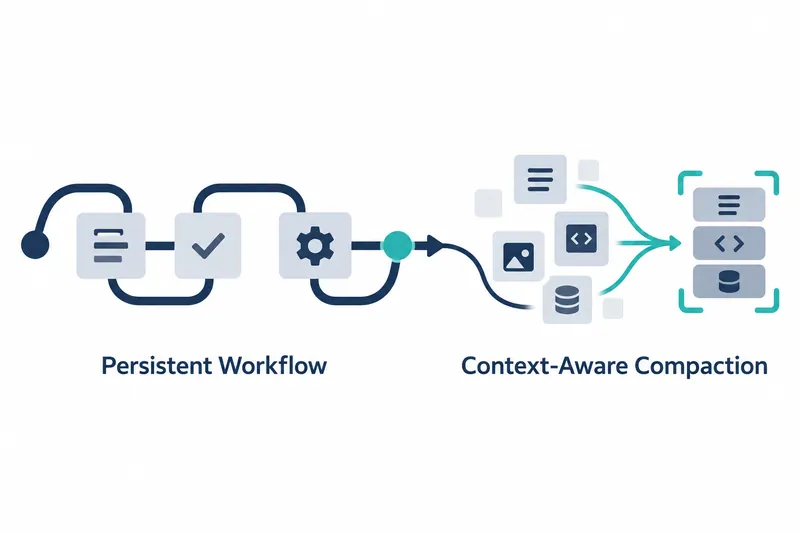
Qwen Code now saves workflow modes in sessions and trims tool results to fit the remaining conversation space. Developers can retain mode settings within a session and reduce full-conversation compaction caused by long tool responses.
1. Keep workflow modes in sessions and display them
Released on October 28, v0.26.3 saves workflow modes, which define work procedures, as session settings. It focuses on retaining a mode once enabled as work continues in the same session. This reduces repeated mode setup for developers.
Saved modes appear in the Ink and OpenTUI terminals. This lets users see which mode applies to the current session. Workflow toggle settings also pass through to the command-line tool's sandbox, an isolated execution environment.
2. Enable at startup or switch during a conversation
Use the option on the first line when launching from the command line, and the command on the second line during a conversation. The release notes provide these strings:
--workflow-mode on
/workflows mode on
Workflow modes can also be controlled through the SDK and ACP. These provide control through programmatic integration tools and an agent connection protocol, respectively. Modes work with both direct terminal use and other programs.
The usage flow covers startup configuration, switching during a conversation, and checking saved state. Beyond adding an enable command, the changes pass saved session settings to the execution environment and display them in the terminal.
3. Check remaining space before inserting tool results
Tool result handling has also changed. Before auto-compaction, results are trimmed to fit the remaining context, the space holding conversation information. Explicit truncation settings and protected content are respected. The approach checks available space before sizing results.
For a long tool response, the key is adjusting how much to retain based on remaining space. The project's stated goal is to reduce unnecessary auto-compaction. It adjusts individual results before compacting the entire conversation.
The benefit and cost come from the same trade-off. Smaller tool responses leave more room in the conversation, but retain less of each result. For developers handling long work histories, what to preserve matters alongside compaction frequency.
4. Apply context sizes that match model aliases
Model size detection used to assess remaining space has also improved. The release notes say invite-only qwen-latest-series- model aliases are recognized as 1M-token models during context window detection. This corrects size detection when selecting models by alias.
Identifiers in the qwen4 family default to a context window of 1,000,000 tokens when that information is absent from the upstream model catalog, the list of supported models. Unlike alias detection, this applies only when catalog data is missing.
These two figures are context size detection values from the release notes, not performance measurements of speed or accuracy. The change concerns how much space the tool considers available, rather than performance rankings between models.
5. Manage session settings and result retention together
The two areas to review when adopting this update are workflow modes and tool results. Repeatedly used modes persist as session settings, while long responses are handled using available context and retention settings. The former concerns configuration continuity; the latter concerns how much information the conversation holds.
The release notes report no known breaking changes that disrupt existing integrations. When reviewing existing workflows, it is worth focusing on how these two changes affect actual usage paths.
Qwen Code v0.26.3 centers on reducing repeated mode setup while fitting tool results into the remaining conversation space.