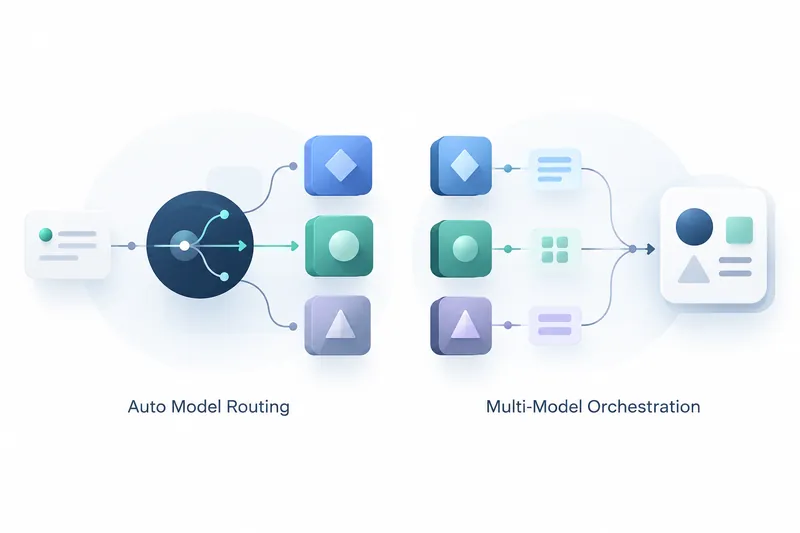
GitHub Copilot Fusion is generally available, letting developers select Fusion instead of choosing a model for every task. Copilot decides which models to use and how they collaborate for each prompt. Developers can choose an effort level suited to the task and spend less time switching models.
1. Turning model selection into task-level automation
Fusion is not an option that locks in one specific model. It examines tasks, selects models, and coordinates sequential collaboration among multiple models when needed. GitHub says it combines Project HydraFusion's multi-model orchestration with Copilot automatic model selection's fine-grained choices to balance performance and cost efficiency. Orchestration coordinates the order in which models work.
Users select Fusion in the model picker, then specify an effort level. Standard prioritizes versatile models for everyday coding, while High favors models suited to difficult tasks and deep reasoning. Max prioritizes the most capable models for the toughest tasks and complex reasoning. Higher levels favor models equipped to handle harder tasks.
2. Dividing work from single-model execution to review and retries
Copilot uses models in three ways as needed. In Single, one model solves the task directly. In Cascade, an efficient model drafts a response that undergoes a quality check, then is accepted or passed to a stronger model.
In Critique, one model drafts a response, another reviews it, and the original model revises it. Users can delegate everything from simple single-model execution to draft review and rework without specifying a model at each step. Copilot Fusion decides which specific models to select for each task.
3. Company-reported performance figures include cost and time savings
GitHub says it has improved performance since launching the research preview, a testing phase before general release. According to the company, Copilot Fusion Max scored 60 on the Artificial Analysis Coding Agent Index, within 2 points of Claude Code with Opus 5.5 Max. GitHub says average API costs and tokens used per task were each about half as much, while time per task was about 40% shorter.
These company-reported results suggest automatic model selection could reduce task costs and time while maintaining performance scores. However, actual usage is billed at the standard rates of the models Fusion uses, so tasks involving multiple models incur charges for each model used. Paid Copilot plan users receive a temporary 30% discount on model costs when using Fusion.
4. Administrators control model policies and defaults
Fusion uses only models allowed by enterprise and organization model policies. Enterprise administrators can view the models Fusion can select and configure each model's effective policy separately. They can also exclude a specific model from Fusion's choices without blocking it for all users.
Copilot customers using Enterprise managed settings can set Fusion as the default model at any effort level. AT&T principal software engineer Hari Pokhrel said Fusion Standard helped improve token efficiency across the organization and cut unnecessary spending, leaving capacity for higher-value work. Previously, users sometimes selected a powerful model for complex tasks and did not switch back when returning to routine work.
5. Supported environments and getting started
Fusion is available on all Copilot plans and supports Visual Studio Code, the GitHub Copilot app, GitHub Copilot CLI, and JetBrains IDEs. Users can update their client, then select Fusion and their preferred effort level in the model picker. Support for additional clients is planned.
Users who selected auto, HydraFusion, or HydraFusion Max in the research preview are automatically moved to the corresponding Fusion effort levels. This carries their existing choices over to the generally available version.
Fusion reduces the burden of choosing models, while leaving organizations in control of model access policies and users responsible for effort levels and usage-based costs.