According to the team's release notes, AI chat tool Open WebUI now has a tabbed workspace that opens conversations alongside files, terminals and previews. Developers and data workers can create files beside chat, watch the model's browser actions and take over, and review repository changes.
1. Manage files and terminals in a workspace beside chat
The tab button above chat opens a workspace with tabs for files, multiple terminal sessions, generated artifacts, previews, voice calls and comments. Users can add tabs from the plus menu, drag to reorder them, and create and save files in the selected terminal.
On large screens, the workspace can expand across the entire chat area. Conversations remain in separate tabs, letting users switch between code, browser and desktop. The choice of side-by-side or full-width layout is remembered.
Existing controls, including files and system prompts, have moved to the model controls menu beside the input box.
2. Take over tasks on the desktop and in the browser
According to the release notes, if the connected Open Terminal supports desktop features, users can view and directly control its screen in a desktop tab. Along with mouse and keyboard input, clipboard and audio are available where the connection supports them. Users can watch a model that can call desktop tools work on the same screen and then take over.
Terminals with browser support can open websites and local development servers beside chat, with multiple tabs and mobile views. If Chrome is available on a compatible Open Terminal connection, people and models can share a browser session to navigate sites, handle forms or test web apps.
3. MCP apps in chat, repository work in the side panel
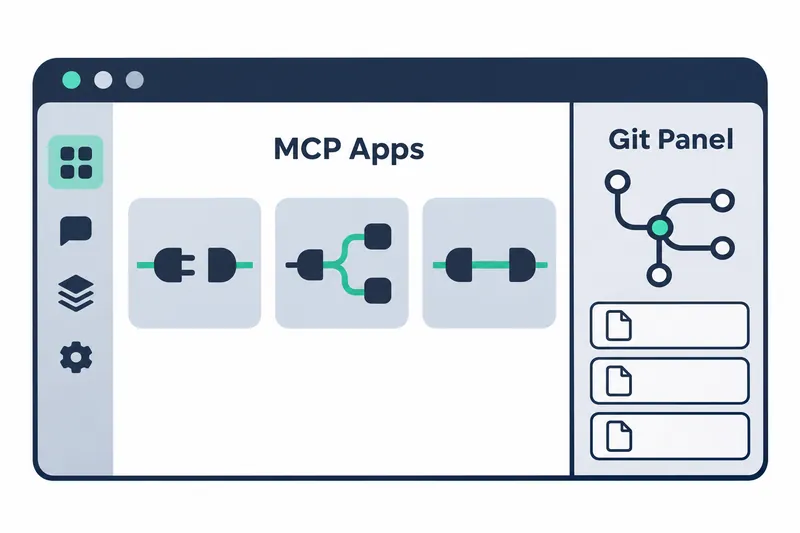
MCP apps are interactive interfaces for manipulating external tool results within chat, using a connection standard that links AI and external tools. The team says an app appears in chat when a tool on a server providing such apps is run. Apps run in isolated views that can access only the sites declared by the server.
Users can work with apps inside a conversation rather than switching screens, but each tool call requested by an app requires user confirmation. Consolidating work screens adds convenience while leaving users involved in approvals. Chats awaiting approval are marked in the sidebar.
According to the release notes, a Git panel appears in the tab side panel when the selected terminal's folder is a Git repository. Users can compare changes, select or discard content for a commit, and then commit. Branch management, exchanging changes with remote repositories, history browsing and GitHub pull request tasks are also supported. Changes to open files are visible too, keeping review and commit work in the same panel.
On supported terminals, the Git panel, open ports, running processes and output update as soon as they change. Unlike the previous updates every few seconds, this lets users see repository status and execution output immediately while reviewing changes.
4. Changes to default tool-call and subagent limits
The team's release notes describe the following changes to default limits for native function calling, where models invoke tools directly, and for subagents.
Table: Execution limit defaults changed in 0.13.0
Conditions: Default settings listed in the Open WebUI 0.13.0 release notes, not measured performance figures
Units: Iterations (times), concurrent executions (count), output length (characters)
| Item | Previous default | Current default | Scope |
|---|---|---|---|
| Tool-call iterations | 256 iterations | 1024 iterations | Single response using native function calling |
| Concurrent subagent executions | 20 executions | Unlimited | Number of subagents running concurrently |
| Background subagent executions | 20 executions | Unlimited | Number of subagents running in the background |
| Subagent tool iterations | 30 iterations | Unlimited | Tool iterations per subagent |
| Subagent output length | 30000 characters | Unlimited | Subagent output |
Chart: Tool-call iteration limit per response. Conditions: Comparison of previous and current defaults for native function calling, not a performance measurement. Unit: iterations
Previous  █     256
Current   ████  1024
A single response can iterate through more tool calls, but a stopping limit of 1024 iterations remains. Setting it to 256 preserves the previous limit. By contrast, subagents, helper agents that share tasks, lose default caps on parallel and background execution counts, per-agent iterations and output length. Increasing iterations within one response differs in scope from removing execution and output caps across multiple tasks.
Operators setting caps must therefore distinguish per-response iterations from subagent execution counts, iterations and output length. Administrators can reset each subagent limit in settings; leaving those values blank allows unlimited execution.
5. Check deployment methods before upgrading
The release notes recommend updating deployments as soon as possible because the release includes security fixes. The team did not list the fixes in this changelog and said it would publish security advisories after vulnerability identifiers are assigned.
Because the database schema changes, backing up the database and related data first is recommended for production environments. Deployments using multiple workers or servers to handle requests, or load balancing to distribute requests, must update all running instances at once. Updating instances one by one causes application errors due to schema mismatches.
The core of 0.13.0 is expanding chat into a workspace where people can monitor and take over model tasks, then review the resulting changes in one workflow.