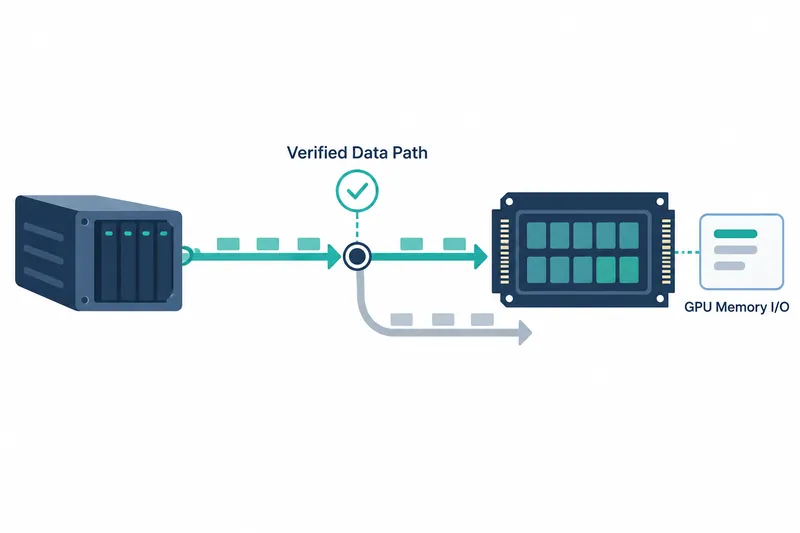
NVIDIA has shared how to use KvikIO to read files into GPU memory from Python and verify use of the accelerated path. Developers moving large datasets to GPUs can inspect read code and runtime statistics. This helps them check for CPU memory transit.
1. KvikIO and cuFile determine the path in stages
GPUDirect Storage (GDS) provides a direct data path between supported storage and GPU memory. It reduces the steps that use CPU memory as an intermediate staging area.
For filesystem-based storage, cuFile is the C library for accessing GDS. KvikIO provides Python and C++ interfaces on top of it to handle file reads and runtime settings.
Path selection has two stages. KvikIO first chooses cuFile or its own compatibility path through CPU memory. The lower-level library then selects an accelerated or CPU-memory path based on system support, filesystem, and settings.
2. Check the installation environment and read settings
The tutorial requires a Linux system with an NVIDIA GPU and GDS installed, plus supported storage and a filesystem. Permissions to create, read, and write files on the storage and access diagnostic tools are also needed.
Installing KvikIO for CUDA 13 also installs CuPy for GPU arrays as a dependency. The tutorial used automatic compatibility mode, with a minimum request size of 16 KiB for attempting the accelerated path.
Automatic selection tries cuFile first, then falls back to its own file reads through CPU memory if cuFile is unavailable. Reads below the minimum request size use this fallback path directly.
Check the installed versions and settings with the following original code.
import kvikio
import kvikio.cufile_driver as cufile_driver
import kvikio.defaults as defaults

kvikio.__version__
cufile_driver.libcufile_version()
defaults.get("compat_mode").name
defaults.get("gds_threshold")
3. Read into a GPU buffer, then check statistics
For a read, create a CuPy array in GPU memory matching the file size and pass it as the destination buffer. Open and read the file with KvikIO, then check the returned byte count.
A successful read or a cuFile call alone does not establish use of the accelerated path. Inspect runtime statistics to identify the transfer path.
Set cuFile's per-process statistics level to 3 and run the read. Keep the process alive in interactive Python, exchanging input and results directly, then use gds_stats to inspect cumulative counters that grow after execution.
NVIDIA's 1 GiB read was split into 256 operations using the default task size of 4 MiB. The following per-GPU statistics are from that same run, as reported by the company.
x86_64, NVIDIA H100, CUDA 13.3, cuFile 1.18, local NVMe and ext4. PIX connection with at most one PCIe bridge between GPU and storage, IOMMU and ACS disabled, nvidia-fs kernel module loaded, KvikIO task size 4 MiB, read size 1 GiB
| Item | Operation count |
|---|---|
| Total reads (n) | 256 |
| Accelerated path (nvfs) | 256 |
| cuFile compatibility path (posix) | 0 |
All 256 operations were counted on the accelerated path. According to the company, reads on this path totaled 1,024 MiB. These statistics show which path the data took in the configuration above.
4. Consider both request splitting and costs
KvikIO first divides large reads into tasks, and cuFile may split them further for parallel processing based on runtime settings. Tuning request splitting therefore requires checking both KvikIO's task size and lower-level parallelism settings.
The direct path reduces CPU memory staging and, NVIDIA says, CPU utilization. If the destination GPU buffer is unregistered for storage transfers, as in the tutorial, data is first read into a registered GPU bounce buffer, then copied.
The key to using KvikIO is combining GPU memory read code with runtime path checks to verify how data moves.