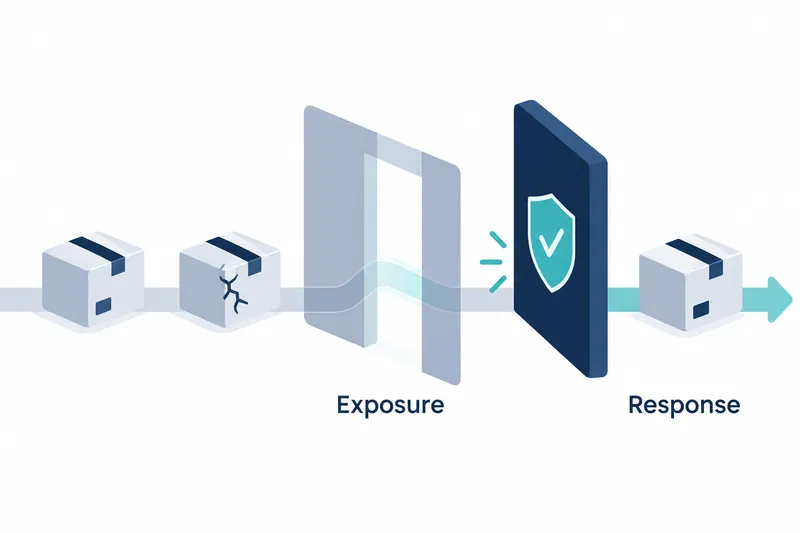
LiteLLM's public release process was compromised. Packages containing malicious code and container images, files containing isolated runtime environments, were distributed for a time. Users who installed or ran them during that period must clean up their environments and change secrets accessible to the host. The company said private distributions for enterprise customers were not affected.
1. Scope of compromised packages and images
According to the company's October 21, 2026 report, all 7 LiteLLM 1.107.0 wheels, Python installation package archives on PyPI, were compromised. The malicious code could steal credentials, information proving system access, and load a remote code execution tool that runs code over a network. The company said earlier versions were safe and affected artifacts had been withdrawn.
For containers, the v1.107.0 and latest tags on Docker Hub and GHCR were affected. Tags are labels pointing to images for download.
The main-latest and main-stable tags also pointed to compromised images.
On GHCR, the litellm-database and litellm-non_root images were affected alongside the base image.
The official GitHub 1.107.0 source tag contained no malicious files. The compromised artifacts were built in a separate repository controlled by the attacker.
2. Check installation history against each registry's exposure window
All times in the company's report are for October 21, 2026, in UTC, Coordinated Universal Time.
Table: Publication, removal, or verification times for compromised artifacts by registry
Conditions: October 21, 2026, for affected packages and image tags
Unit: UTC time
| Registry | Publication start | Removal or verification time | Meaning of end time |
|---|---|---|---|
| PyPI | 11:39:51 | 13:23 | Affected version removed by this time |
| Docker Hub | 11:46:56 | 14:20 | Affected tags and image variants removed or repointed to verified clean artifacts |
| GHCR | 11:46:56 | 13:51 | Time affected tags were confirmed unavailable, not their actual removal time |
Cleanup times differed by registry, so compare installation and execution records for each artifact used. Do not treat GHCR's verification time as a confirmed end to exposure.
The company advised users who installed without pinning a version during 11:39–13:23 to check for impact.
The company advised treating environments as compromised if the affected version was installed during PyPI's 11:39:51–13:23 window, or if a compromised image was run during Docker Hub's 11:46:56–14:20 window. For GHCR, the affected tags were confirmed unavailable by 13:51, but the actual removal time is not confirmed. For now, pin an explicit version of 1.106.2 or an earlier release.
3. Remove malicious files before restarting Python
Start recovery by deleting malicious files from the shell. Starting Python in an affected environment may execute the malicious code again, and running pip also starts Python.
Following the company's guidance, remove cook.pth and cook.py from each affected installation directory.
Also delete sitecustomize.py and related bytecode caches, files storing converted Python code.
Next, terminate the separately running Python process holding /tmp/remote_code_loader.lock. After cleanup, use this command to check the installed version:
pip show litellmThen reinstall, pinning the version to 1.106.2. The company recommended rebuilding images and virtual environments from scratch.
The company said to assume successful data exfiltration if the affected version was installed on a host, a network-connected computer, with outbound connectivity. Rotate instance and task role credentials accessible to that host, which authenticate access granted to servers or running tasks. Also rotate provider keys and admin and virtual keys in the proxy database, database connection passwords, and secrets in the process environment.
The company advised checking CloudTrail, a cloud activity logging service, for GetCallerIdentity calls around installation time that verify the caller's identity. It also recommended checking whether that role's credentials were used outside the user's infrastructure.
4. Stolen privileges used to abuse the normal publishing process
After the March incident, the company made its release repository, the space managing distribution files, private and introduced predefined workflows and trusted publishing. It also made image tags immutable and signed images. The normal process built artifacts from tested commits, units recording grouped code changes, then published them through a separate job.
However, on Monday, privileges for two internal engineers were temporarily expanded to release a customer bug fix. The company said the attacker obtained GitHub CLI credentials for three developer accounts. The attacker used an organization owner's token to disable protections and change workflows.
The attacker made the publishing job reference the similarly named Berri-AI/litellm instead of the legitimate BerriAI/litellm repository. According to the company's timeline, credentials from a second developer account were used to pass the production deployment approval step. Stolen credentials were thus used for publishing approval as well as source changes. The modified workflow signed and published the compromised artifacts. The build path had been changed upstream of signing.
The company said Claude Code responses could, under certain conditions, include a user's GitHub CLI OAuth token, a credential delegating app access. Logging those responses could also leave tokens in internal service logs. The company believes the attacker accessed an internet-exposed internal deployment and obtained tokens from its logs.
5. User recovery work remains after artifact withdrawal
Withdrawing artifacts and repointing tags to clean images cleans up the path for new downloads. During the investigation, the company reduced maintainer credentials to the minimum necessary. Users separately need to clean up and rebuild installation and runtime environments, then trace and rotate accessible secrets.
The company said it had not yet confirmed the initial internal access route and suspected a recently patched vulnerability. Container or temporary-file cleanup can also erase traces. The absence of malicious files or files indicating exfiltration therefore does not establish that an environment is safe.
User response to this incident depends less on artifact withdrawal than on thoroughly tracing installations and executions during the exposure window and the secrets they could access.