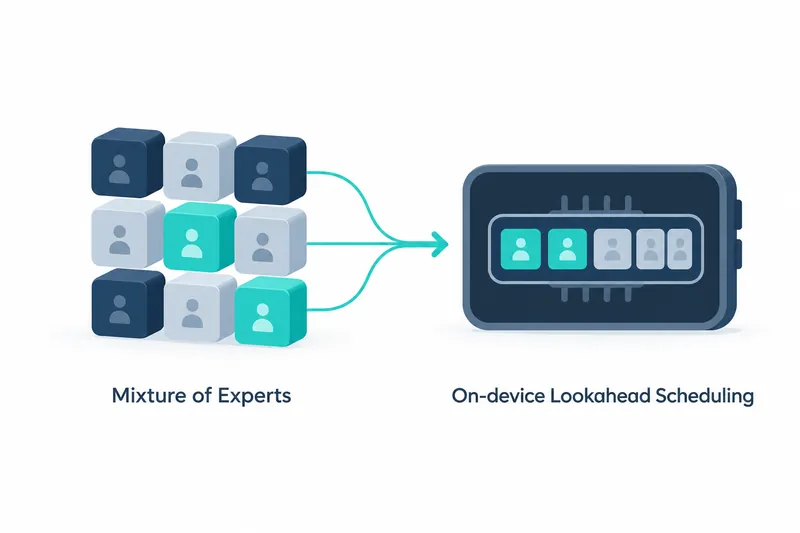
OpenBMB has added prefetching of needed computation blocks to its new image and video understanding model. For phone AI developers, this reduces storage-read delays without restricting the model's computation choices.
1. Partial computation still needs all the weights
Released on October 12, 2026, MiniCPM-V 4.7's 35B-A3B is the series' first MoE model. MoE selects a subset of computation blocks called experts. Small active computation does not shrink storage equally, as experts vary by input and layer.
The model card explains that expert weights are read from storage on demand if they do not all fit in device memory. It is like fetching books from a shelf when the desk cannot hold them all. Repeated waits slow generation.
2. Change the read order without reducing what is computed
Lookahead Expert Scheduling prefetches likely next-layer experts. It computes selected experts that are ready while loading the rest. Even if predictions miss, needed experts are loaded and computed; only read and execution order changes.
Layer-wise quantization uses fewer bits for weights, reducing storage and data movement. DSpark also accelerates generation by predicting outputs ahead of time. Reported speeds therefore cannot be attributed to prefetching alone.
The benefit is less waiting for reads without limiting capabilities by fixing which experts can be used. Weight reads remain, and execution must manage predictions and overlap reads with computation. The cost shifts to scheduling.
3. Read speed figures within the reported conditions
The model card reports over 13 tokens per second using 3GB of memory on an iPhone 17 Pro Max. Tokens are units of generated text. The repository separately reports a 5-fold optimization gain, but this does not justify multiplying that speed.
The team reports a higher overall score and shorter inference time than Qwen3.6 35B-A3B in instruction-response mode. The saved source text omits input length, resolution, device settings, and the device used for the speedup comparison. These results cannot establish guaranteed speeds on other phones or general superiority.
4. Adjust the amount of visual information separately
The visual encoder turns images into computational representations and compresses visual tokens early to reduce later computation. 16-fold compression merges tokens for efficiency. 4-fold compression keeps four times as many tokens for detail. More detailed image understanding means more information to process.
The same compression value must be passed both when building the chat template and when generating output. The former sets the number of image slots; the latter controls visual encoder processing. Check that neither stage is omitted.
5. Distinguish standard inference from device deployment
Standard inference loads the model and preprocessor in Transformers, then combines images or video with a question as chat input. Below is the installation command exactly as given in the model card.
pip install "transformers[torch]>=5.18.0" torchvision torchcodecThe video decoder may conflict with some CUDA versions. The source suggests an alternative decoder or pinning versions to match the runtime as workarounds. Check compatibility when using video input.
This installation example starts standard inference; it does not apply the full set of phone optimizations. Device deployment apps and source are covered in a separate repository linked in the source. Supported systems are iOS, Android, and HarmonyOS.
The key is not merely low computation, but a deployment path designed to reduce on-device waits for weights while preserving the model's original expert selection.