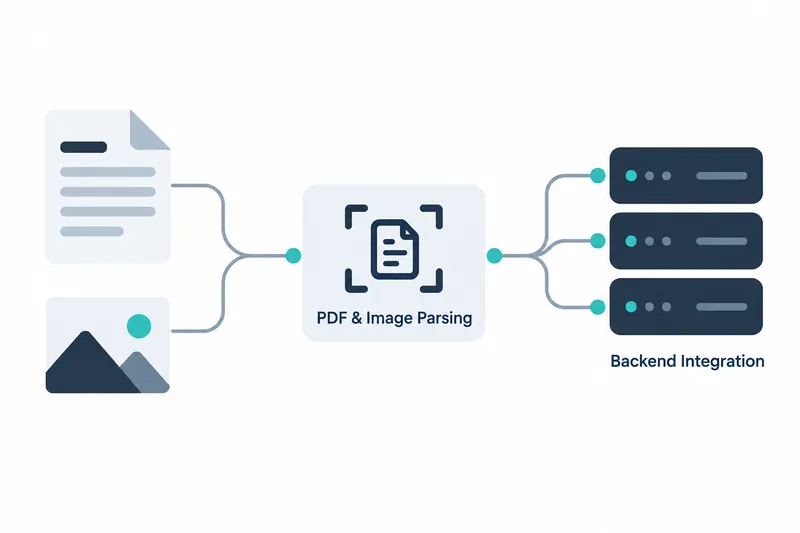
OpenBMB has made the first PyPI release of MiniCPM-OCR SDK 1.0.2. Developers can use the CLI or Python API to connect a pipeline that reads PDFs or images and organizes text, tables, and formulas into Markdown. Layout analysis and recognition services are separate. Developers can connect an existing inference backend, the component that runs the model, or choose a supported backend.
1. From document input to Markdown output
The SDK combines layout detection with vision-language model recognition to arrange document elements in reading order. Layout detection identifies document regions and their arrangement. A vision-language model interprets images and text together. Multipage PDFs can be exported as one document, with tables in HTML and formulas in LaTeX, a notation for writing formulas. The release also lists chart and stamp recognition as supported features.
Formula postprocessing refines recognition results to help restore LaTeX for inline formulas and display formulas on separate lines. The release notes say it also handles some cases of mismatched parentheses or missing formula delimiters.
2. Start on the command line and adjust settings
Built-in quick-start settings allow execution without a separate configuration file. The example below is a command from the original API documentation.
minicpmvocr parse doc.pdf -o doc.md --device cuda:0 \
  --server-url http://127.0.0.1:18499 --model minicpm-ocr
Parsing behavior can be adjusted through command-line arguments or YAML, a human-readable configuration file format. By default, up to 32 recognition requests run concurrently. The SDK also supports overlapping layout detection and recognition, running both tasks at once, and connecting multiple recognition service instances, or running copies of the service.
The default layout model is checked in the current working directory and downloaded automatically if missing or incomplete.
3. Roles of the SDK and recognition backends
In the pipeline, the SDK detects layouts, crops document blocks, and reassembles recognition results. A separate service handles actual model recognition, and the two parts can run in different Python environments.
Recognition services can connect through vLLM or an OpenAI-compatible interface, with llama.cpp and Ollama also supported.
The local deployment guide says document processing and inference both take place locally, without sending source documents or results to cloud OCR services.
4. How parallel page processing changes throughput
According to the company, the table below shows MiniCPM-OCR 1.0 throughput, or work processed per unit of time, on an NVIDIA GeForce RTX 5090 using all 1,651 OmniDocBench v1.6 images. The test varied how many images were processed at once. This differs from the SDK's default recognition request concurrency of 32, which operates on document blocks.
Table: MiniCPM-OCR 1.0 throughput by image-level concurrency
Conditions: NVIDIA GeForce RTX 5090, MiniCPM-OCR 1.0, all 1,651 OmniDocBench v1.6 images, varying image-level concurrency
Unit: pages/s
| Image-level concurrency | Throughput |
|---|---|
| 1 | 1.217 |
| 2 | 1.613 |
| 4 | 1.888 |
| 6 | 2.031 |
| 8 | 2.133 |
Source: Throughput by concurrency level in the model guide
Throughput by image concurrency (pages/s, baseline 0)
1 | ████████████          1.217
2 | ████████████████      1.613
4 | ███████████████████   1.888
6 | ████████████████████  2.031
8 | █████████████████████ 2.133
According to the company, concurrency 8 delivered the highest throughput in the tested range, at 1.75x that of concurrency 1. Gains diminished as concurrency increased, so throughput did not rise proportionally. The difference is between processing pages sequentially and processing multiple pages together. Page-level parallelism is therefore another setting to tune for large document workloads.
DSpark accelerates output generation by using an auxiliary model paired with the main model, helping reduce parsing time for large document workloads. The company reports a 55% gain in end-to-end processing efficiency with DSpark decoding acceleration. See the README. See the reproduction guide. It says detailed execution commands and logs for this comparison will be added later.
5. Focus on the operating environment rather than integration code
Developers passing the resulting Markdown to downstream search or document processing workflows can reduce the burden of implementing page conversion, element extraction, and result assembly separately.
An SDK-compatible recognition service must be configured separately before execution. Choosing DSpark acceleration in vLLM also requires a draft model matched to the main model. The tutorial's vLLM installation example uses about 8GB for the vLLM environment and about 6GB for source and build artifacts, the files generated during builds. It recommends reserving at least 40GB of total disk space.
Installing dependencies and downloading models for the first time also require a network connection. Key adoption considerations are whether an existing recognition service can connect and whether a separate inference environment is manageable.
SDK 1.0.2 is an option for developers seeking to package document parsing assembly steps while retaining their choice of recognition backend.