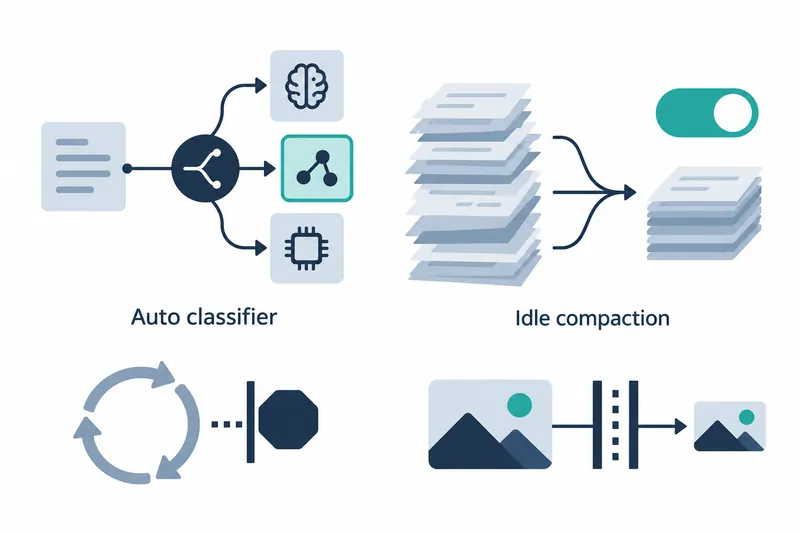
Claude Code now lets users choose the model that judges tool execution safety and toggle conversation summarization during idle periods. Unattended tasks gain a cutoff for waiting on usage limits, and large image reads face a size cap.
Version 2.1.302 was released on October 16, 2026, following 2.1.301 on October 15. Model selection, idle compaction settings, and image read limits arrived in the later version; the usage-limit wait cap came in the earlier one.
1. Specify the auto mode decision model
The auto mode classifier judges whether tool calls are safe. The new environment variable selects the model for the client-side classifier; it does not change the server-side auto mode model.
The release notes name the following setting. They provide no runnable code example, list of available models, or default model.
CLAUDE_CODE_AUTO_MODE_MODELThe server-side classifier was improved separately. When a conversation is too long for safety checks, it now compacts it first instead of rejecting each tool call under review. This operates separately from model selection.
2. Toggle idle compaction in settings
Idle compaction shortens conversations by summarizing them during idle periods. The new Idle compaction entry in /config lets users turn it off or back on. The notice shown after compaction also explains how to disable it.
A fix also resolves an input-too-long error when interrupting an ongoing response during conversation compaction. This addresses overlapping compaction and interruption, separately from the new compaction setting.
3. Limit the wait for usage limits to reset
Added in the previous version, CLAUDE_CODE_RETRY_WATCHDOG_MAX_USAGE_LIMIT_WAIT_MS caps usage-limit waits in unattended retry mode, identified as CLAUDE_CODE_RETRY_WATCHDOG. If the reset is too far away, the request ends instead.
This does not increase usage limits; it determines when to abandon a blocked request. The source provides neither a default cap nor a configuration example. No particular wait duration can therefore be assumed to be the default.
4. Reject image sources larger than 128 MB
The Read tool no longer loads entire image files into memory regardless of size. It also previously read whole pipes or devices named like images. Pipes carry data between programs and differ from ordinary image files.
Image sources larger than 128 MB are now rejected. This is an input rejection threshold, not a speed or memory savings figure. No guarantee was given that sources within the cap will be readable regardless of other conditions.
5. Consider both added choice and request termination
Users gain control over the auto mode decision model and idle compaction. But the wait cap ends requests rather than waiting to resume, while the image cap blocks large inputs. Unattended tasks need a plan for ended requests.
No figures were given for token usage with idle compaction off, or cost and latency changes from switching models. These changes are better seen as controls over automated execution and stopping criteria than evidence of savings or speedups.
These two versions expand choices for automated execution while clarifying where to stop long-waiting requests and large image inputs.