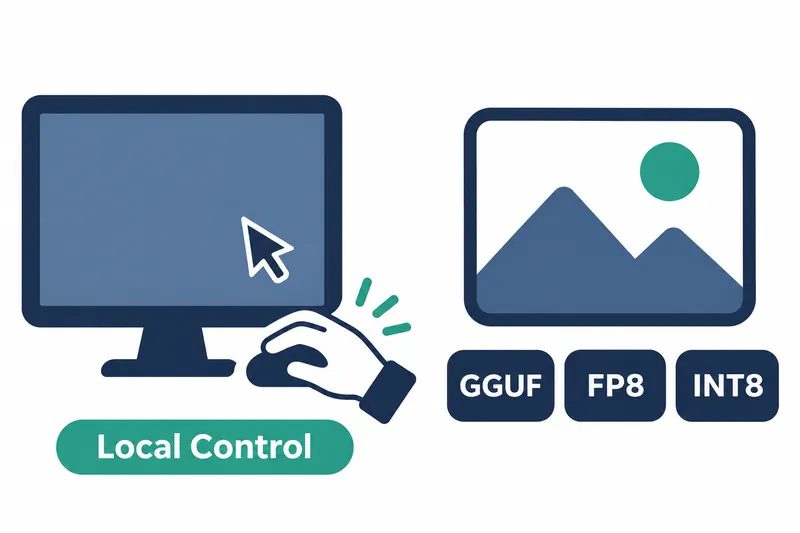
Unsloth Studio has added a beta feature that lets local models view a computer screen and operate apps with a mouse and keyboard. Developers can assign document and image tasks through an approval process. Image generation users can now choose an execution format suited to their hardware.
1. Local models operate apps and desktops
Computer use lets models read the screen and interact with apps. Local models and models from connected providers are supported, but both must be able to interpret images and call tools to request actions.
2. Results from receipt organization and image editing
The receipt example in Unsloth's documentation asks Qwen3.8-27B to read 6 receipt photos and produce a table, totals, a chart, and a three-slide summary. According to the company, 2 of 6 trials on a single A100 at about 130 tokens per second finished correctly, taking 22 and 30 minutes. The demo's completion rate was about 33%. In one run, it found that a duplicate receipt inflated the total by $585.08.
Two runs misread amounts, one stopped before creating slides, and one charted the date column. The date-column case used an earlier prompt. All 3 runs using a prompt that explicitly named the columns produced correct charts.
The same model was also tested on adding text to a photo in GIMP and exporting it. According to the company, both runs on a single RTX PRO 6000 succeeded, taking 7 and 11 minutes to produce a 1024×576 PNG.
3. Installation environment and approval process
Unsloth Desktop is available on macOS, Windows, and Linux. Install the desktop app on the computer you want to use, or run the installation command directly. The command for macOS and Linux is:
curl -fsSL https://unsloth.ai/install.sh | shThe feature requires Unsloth to run locally on that computer. It cannot control the target desktop through remote access, hosted notebooks, Docker, or WSL. Linux requires X11, a graphics system managing displays and input. Wayland, another such system, is not supported.
Enable computer use in settings and in the menu beside the chat input. On macOS, allow Screen & System Audio Recording and Accessibility permissions, then restart the app.
The feature is off by default. Except in full-access mode, it requests approval before the first action in a conversation and before the first click or input in a new app. Approval expires after 30 minutes of inactivity.
Using terminals, password managers, or system tools, and risky actions such as close or delete shortcuts, require confirmation each time. Blocked apps cannot be opened, clicked, or typed into. Users can stop at any time with the stop button or by moving the pointer to a screen corner.
Tool calls stop at 25 per response by default. The documentation recommends raising the limit in settings, noting that real tasks may require 100–200 actions.
Action cards show the actions requested by the model and the returned screens, letting users follow progress.
4. Specify apps and completion criteria precisely
The UD-Q4_K_XL format of Qwen3.8-27B tested in the documentation takes about 19GB, including the image recognition file. This format reduces model storage size.
In the documentation, Gemma 4 26B-A4B clicked buttons correctly in every localization test. Yet in both receipt tasks, it only reopened photos and never reached table creation. Qwen3.6-35B-A3B also lost track of the receipt workflow. These results show that accurate clicking and completing a multistep task are different abilities.
Specify app names, file and column names, save locations, and completion criteria in task instructions. For receipts, for example, name the store and amount columns as chart targets and ask it to check each summary slide for overflowing text.
Delegate repetitive input and app switching to the model, but keep screen access permissions under user control. The documentation advises reviewing results as you would a colleague's work, checking amounts and slide text layout yourself.
5. More hardware and precision options for MiniMax-H3-Image
To run MiniMax-H3-Image on CPUs, Macs, small GPUs, or AMD hardware, use the newly supported GGUF model files with stable-diffusion.cpp. For NVIDIA GPUs, FP8·INT8 weights store the model's learned values as 8-bit floating-point numbers or integers.
Automatic precision settings choose INT8·FP8 or BF16, a 16-bit floating-point format, to match the hardware. LoRA training and loading are also supported, adapting the model to user tasks by adjusting only some parameters.
According to the company, decoding time for a 2048-pixel image on an A100 80GB fell from 2.82 seconds to 0.28 seconds. Decoding converts generated output into an image. Under the same conditions, the wait for this stage fell to about one-tenth as long. This is not a comparison of total image generation time.
Table: MiniMax-H3-Image decoding time before and after
Conditions: A100 80GB, 2048-pixel image, according to the company
Unit: seconds
| Stage | Decoding time |
|---|---|
| Before | 2.82 |
| After | 0.28 |
Chart: Decoding time comparison (seconds, shorter is faster)
Before | ████████████████████ 2.82
After  | ██                   0.28
Accurate clicks do not guarantee task completion, just as faster decoding does not prove faster overall image generation.