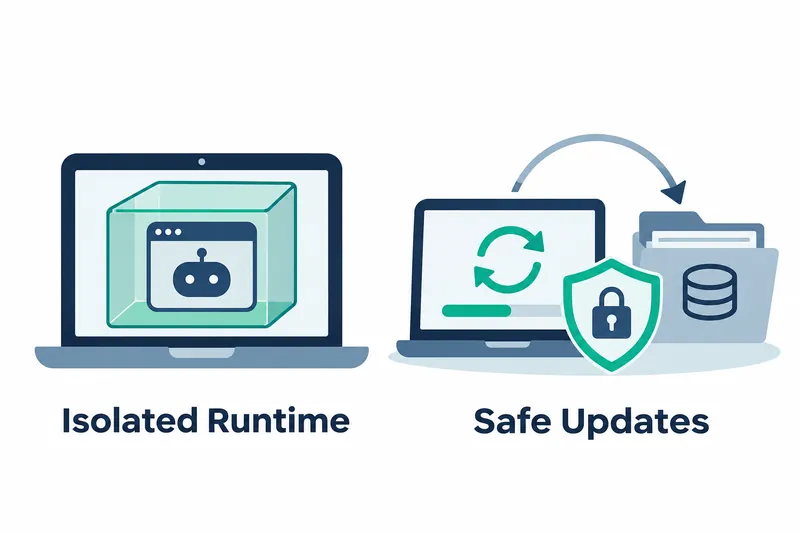
OpenBot Desktop has released a new preview that interferes less with existing user runtimes and reduces the risk of data deletion during updates. Users on personal computers manage installation and updates through a dedicated app runtime and predownloaded updates.
CopilotKit released version 1.0.2-rc.3 on November 11. Its focus is on isolating the app runtime, automatically updating outdated runtime tools, and preserving bots and conversations when installing a new version.
1. Running on a dedicated OpenBot machine
A Podman machine is a separate environment for running containers. Creating one with the command below enables rootless operation without administrator privileges inside it. OpenBot previously tried to run its local backend, which handles app functions and requires administrator privileges, there. This caused it to stall on the settings change screen.
podman machine initThe new version uses a dedicated rootful machine with administrator privileges inside it. On Windows, it runs alongside the user machine. On Mac, it uses a dedicated machine when the user machine is rootless. Existing rootful machines on Mac and Docker remain in use as before.
The dedicated machine is named openbot. On Windows, it does not take over docker_engine, the default pipe Docker tools use to access the engine. It also leaves the user's default Podman connection unchanged, preserving existing tools' connection targets after app installation.
2. Updating outdated engines before startup
Engine versions are checked during installation and app startup, with updates applied if they fall below the required baseline. The release notes specify Docker Compose versions below 2.27.2 and a corresponding Docker Desktop threshold below 4.32.
Podman is updated if its version is below 6.1. With Docker Desktop 4.27, setup could finish only for startup to halt with a Compose error. The new version addresses this by checking the engine before Compose reads and processes the container configuration.
Docker Desktop is downloaded through Docker's update channel and installed over the existing version after checksum and signature verification. A checksum detects file changes, while a signature verifies the publisher and file origin. Images, containers, and volumes, which store data outside containers, are preserved. Podman is updated using an installer pinned by OpenBot. Previously running user machines and containers are restarted after the update.
3. Downloading earlier and keeping app data
Previously, required files were downloaded in sequence after the user clicked install. The new version downloads engine images, the Podman installer, distribution files, app installation bundles, and app software together from the first screen. Preparation continues during login and permission approval.
In the company's fresh Mac installation example, the engine image was 937 MB and the default bot software was about 1.1 GB. Interrupted downloads resume on the next launch. Before use, file integrity values are checked against predefined values.
When a new version arrives, components for bots in use and changed backends are also predownloaded in the background. Once ready, the user starts the update, and the app stops, backs up, applies the new version, and restarts. Automatic predownloads run when disk space is available. Release candidates, used for validation before general release, and internal builds, made before external release, are excluded.
On Windows, running a new installer over an existing version updates the app without the old uninstaller's data deletion prompt. The uninstall function in settings first stops services launched by OpenBot. Choosing data deletion removes the OpenBot machine, backend, and OpenBot files in the installation folder, but leaves user files stored there. Without deletion, related items remain stopped and available for reinstallation.
4. Checking the database before upgrading
This release runs no additional migrations, the process of adapting existing data to a new database structure. It uses the 1.0.1 database unchanged. The schema, which defines database fields and structure, remains at 0088_approval_reviewer_guidance.
Users upgrading from 1.0.0 or 0.3.x go through the migrations in the intervening versions. Upgrade preparation therefore starts with checking the current database version and securing a backup of its previous state.
5. The trade-off between isolation and automatic management
A dedicated machine reduces interference with the user environment, while automatic engine updates address startup errors during installation management. Predownloading update files also moves downloads from the wait after clicking update to time spent working.
The trade-off on Mac is that, with consent, the rootless user machine pauses temporarily and resumes with its containers when the app exits. Containers also pause and restart during Docker Desktop updates. Existing installations on user machines start fresh on the dedicated machine, while old data stays on the original machine. Rolling back a database migrated from 1.0.0 or 0.3.x requires restoring a pre-upgrade backup.
This release focuses on reducing interference with existing workflows and update mistakes while managing both app execution and data preservation.