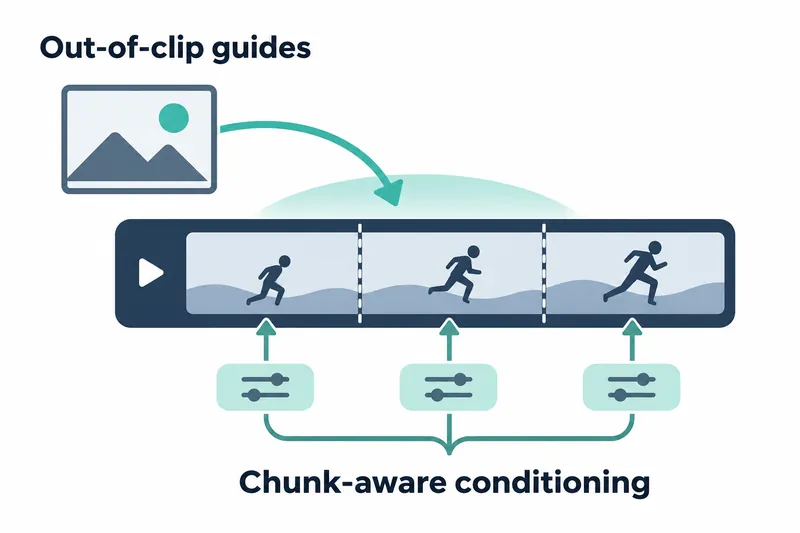
Lightricks released version 1.6.2 of its LTX-2 video generation model, adding support for reference images before or after a video segment. For chunked generation, the image can apply only to the relevant chunk or repeat across all chunks.
Developers generating long videos in chunks gain finer control over where scene reference images apply. The default sends guides only to chunks containing the clip's start or end. Another option gives each chunk a guide at the same relative position.
1. Place image guides before or after a clip
This update expands image guide placement. A negative frame index places a keyframe before the first frame; an index at or beyond the clip's frame count places it after the last. The release notes use -1 to set the opening mood.
A guide is an image input that steers generation. Think of placing a reference photo before a scene and having the model use it to generate that scene. Users can position the opening scene's reference image before the video starts.
2. Default and repeat behavior by chunk
ONCE is the default for chunked generation. A guide before the clip goes once to the chunk containing the first frame; one after it goes to the chunk containing the last. Its actual offset from that chunk's frame range start is preserved.
With PER_CHUNK, every chunk receives a guide at the same relative position. For example, -1 sits just before each chunk's range. Positions beyond the clip's end keep the same distance from each range's end. The reference repeats before each scene.
3. Configure through the API and command line
In Python, guide repetition behavior is passed through out_of_clip_guides. It is available when creating image conditioning per chunk and when running ICLoraPipeline.
On the command line, --out-of-clip-guides selects the same repetition behavior. Without an explicit repeat setting, the default sends guides once to the chunks handling the boundaries.
The repository documentation includes examples of creating image replacement and guide inputs.
opening = ImageConditioningInput.replace("opening.png", frame_idx=0, strength=1.0)
later_replacement = ImageConditioningInput.replace("later.png", frame_idx=9, strength=1.0)
guide = ImageConditioningInput.guide("guide.png", frame_idx=80, strength=0.8)
In the documentation example, replace() replaces a clip frame with an image, while guide() places an image guide at the specified position. Out-of-clip indexing extends the latter's placement range.
4. Benefits and processing costs of repetition
PER_CHUNK is useful for giving each segment the same reference image. Unlike the default, which targets specific chunks, it guides every segment. It also encodes image conditioning into model inputs for multiple chunks.
The implementation reads the input image once per run, then encodes conditioning at each chunk's resolution wherever the image is needed. The overhead comes from creating conditioning for more chunks, not repeatedly reading the image file.
Inputs that replace existing frames with images must still be positioned inside the clip. The repetition setting has no effect when generating only one chunk.
The key change allows guides before or after a clip and lets users choose whether the reference image applies to one chunk or repeats across all chunks during chunked generation.