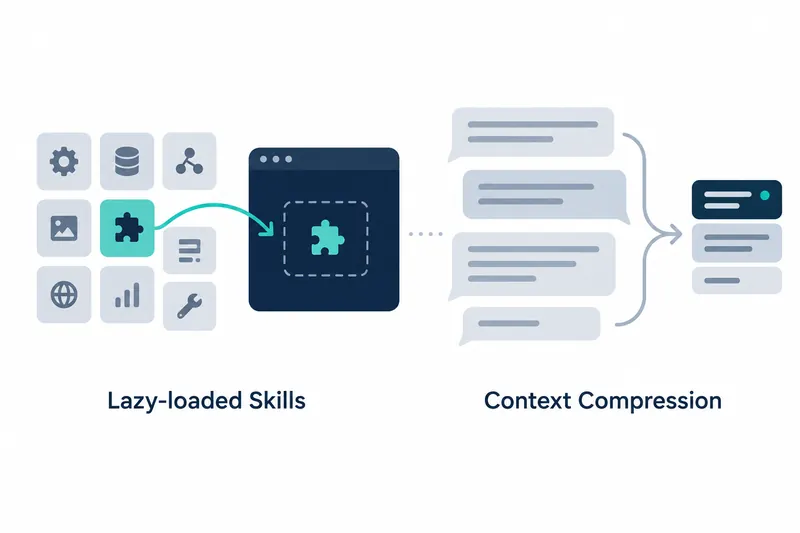
Open WebUI v0.12.4 loads skill instructions on demand rather than sending them every time, and makes long-chat compression visible in chat. Users of multiple skills and developers with long chats can reduce redundant instructions and see which conversations were summarized.
1. Send full skill instructions on demand
Skills are sets of instructions a model uses for tasks. Previously, full instructions for skills selected in chat or linked to a model accompanied every message. With lazy loading enabled, only a list is sent first, and the model loads full instructions as needed. It is like consulting a list and fetching the needed manual instead of receiving every manual each time.
Administrators can enable on-demand loading of selected skills under General in Admin Settings or through an environment variable. Users can select skills in chat and mention those needed immediately in a message. Skills mentioned in a message load immediately rather than waiting.
This feature is off by default and requires the built-in Skills tool. Without enabling it, full skill instructions are still sent with every message. The relevant environment variable is:
ENABLE_SKILL_LAZY_LOADING2. Display compressed messages and summaries
Context compression summarizes earlier messages for use in later conversation. When compression runs, a marker appears where the conversation was summarized. Users can expand it to view the summary and find marked messages in the overview under chat controls.
If compression runs between tool calls while generating a response, a marker also appears within the response. Users can see where compression occurred as they read, rather than checking only a separate screen after the conversation.
Compression progress and errors appear within the conversation instead of pop-ups. Users can check which earlier messages were summarized and whether compression is proceeding normally without leaving the chat.
3. Compress temporary chats and context already over the limit
Context compression now also applies to temporary chats. It runs even when the threshold is already exceeded, such as in a short chat with one question and a response containing extensive tool output. This prevents context-length errors from blocking follow-up questions or response regeneration and editing.
The usage gauge now reflects the threshold set to trigger compression. It uses the compression threshold configured for an individual model or in the default model parameters. Previously, the gauge ignored a lower model-specific threshold, potentially suggesting more room than remained before compression.
The gauge and actual compression now use the same basis, making it easier to see how close compression is. When compression is disabled, threshold settings that no longer apply are also hidden.
4. Less repeated transmission, but summaries change chat history
The two features reduce what is sent to the model in different ways. Lazy loading replaces repeated skill instruction transmission with on-demand retrieval. Context compression helps sustain long chats but replaces earlier messages used in later conversation with summaries rather than their full text.
Tool server tools now reach the model in the same form even after a restart. This preserves the provider's prompt cache, which stores input for reuse, and avoids reprocessing long chats from scratch. However, the release notes provide no figures for token or processing-time savings from this change.
This update centers on adjusting when skill instructions and long conversations are processed, and letting users inspect compression results directly.