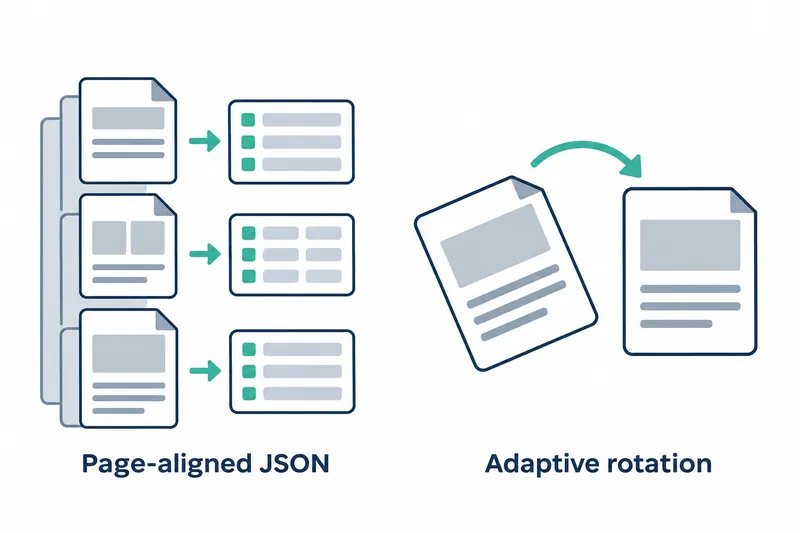
The new MiniCPM-OCR SDK version saves document recognition results by page and enables image orientation correction by default. Developers can handle local results and online responses using the same structure. They can also include correction of tilted inputs in the default processing flow.
1. Aligning page results with online responses
The v1.0.4 release was published on November 3, 2026. Each page's JSON file is additionally saved to pages_json/<image_id>.json. Its structure matches the online document parsing API's single-page response.
The response includes the page number, recognized content, a list of blocks representing recognized document regions, rotation information, and usage. Local files and online responses now share the same fields. This makes it easier for downstream programs to share result-reading logic.
2. Combining page results into a whole document
A command for obtaining JSON from a specified file and a function for assembling page results have been added. The release notes say their combined output matches the result structure of an online asynchronous job. Alongside per-page files, the release provides output for handling a whole document at once.
minicpmvocr parse --json FILE
assemble_document_json()
The first line is the command for processing a specified file, and the second is the assembly function's name. Post-processing can use individual files for page-by-page handoffs and assembled results for whole-document handoffs.
3. Recording block status and rotation consistently
Block status values have been standardized into four types. Both recognition failures and missing cropped image regions are marked failed, while specific reasons are recorded in execution logs. When seal recognition is disabled, seal blocks are marked skipped_seal.
Downstream programs can use status values to find failed regions, while operators can narrow down the cause through logs. Failure indicators and detailed causes are thus read from separate locations.
Rotation information is stored in ocr.rotation and follows the same conventions as the online response fields. Per-page results contain both region status and orientation corrections. This gives downstream post-processing a consistent place to check them.
4. Automatic orientation correction changes convenience and runtime costs
Orientation correction is enabled by default, and the quick-start process automatically downloads 3 Paddle orientation correction models. This reduces the work of enabling rotation and preparing models separately. In return, the runtime environment gains model downloads and an orientation correction step.
Rotation is skipped for small images, and rotation information is unavailable without paddleocr. If that module is not installed, processing logs a warning and skips orientation correction rather than stopping with an error.
5. Specifying rotation settings when reproducing evaluations
Developers continuing existing evaluations can first decide whether to preserve input orientation or correct it automatically. The release notes recommend disabling orientation correction when reproducing OmniDocBench scores. Workflows requiring results without rotation can also disable correction with the following setting.
--set upright.enabled=falseWorkflows using automatic correction need to account for model preparation and correction in their runtime environment. Evaluation reproduction should use the recommended setting. The output structure change belongs in post-processing, while the new input orientation default belongs in runtime configuration.
The practical change in v1.0.4 is better interoperability of per-page results alongside orientation correction becoming a default processing step.