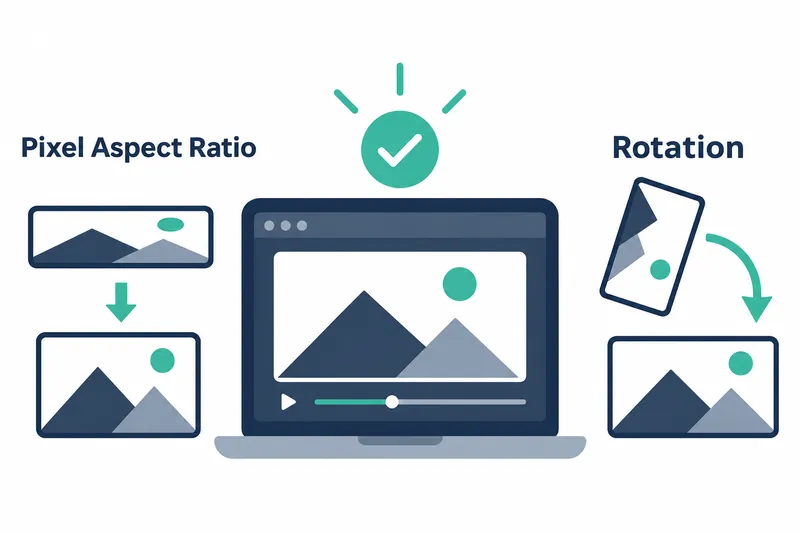
The llama.cpp b12381 prerelease build now accounts for video frame aspect ratio and rotation metadata. For videos with non-square pixels or rotation metadata, frame dimensions sent to the model now reflect display orientation.
1. Correcting frame dimension calculations
The change affects multimodal input processing, which handles multiple data formats together. The release notes group fixes for pixel aspect ratio, the ratio of pixel width to height, and video rotation. The linked change requests describe width adjustment and swapping width and height for rotation, respectively. This refines how existing video processing interprets display dimensions rather than introducing general video input support.
Reading only a video's width and height can miss its display aspect ratio when pixels are not square. Accounting for pixel aspect ratio can change the display width. For rotation angles of 90 or 270 degrees, width and height must be swapped to match display orientation. The updated code reads this information from the file to correct frame dimensions.
2. Handling decoded and display dimensions together
The code first asks ffprobe for video width, height, pixel aspect ratio, and rotation metadata. It checks that the aspect ratio is plausible, applies it to the width, and adjusts dimensions to match ffmpeg's rotated frame output. Since the aspect ratio comes from the file, only values in the 0.1–10.0 range are applied. If the denominator is not positive, the default ratio of 1.0 is used.
        const double sar = sar_den > 0 ? (double) sar_num / sar_den : 1.0;
        if (sar >= 0.1 && sar <= 10.0) { // the value is from the file, ignore it if it is not plausible
            info.width = (uint32_t) std::nearbyint(info.width * sar);
        }
        // ffmpeg rotates the frames by default
        if (rotation % 180 == 90 || rotation % 180 == -90) {
            std::swap(src_width, src_height);
            std::swap(info.width, info.height);
        }
The key distinction is between the original frame dimensions output by the decoder and the dimensions used for display. Code comments explain that ffmpeg outputs frames at encoded dimensions, while display dimensions account for pixel aspect ratio. If the two differ, subsequent video processing determines that resizing is needed. If a frame rate is also specified, the filter handles it as well.
3. Applied to multimodal video input
The multimodal command-line tool in the same commit loads video during a conversation using /video <path>. It also supports passing a file path as an argument. The correction aligns frame shape with the dimensions passed to the model. This helps preserve display aspect ratio and orientation during processing for videos with non-square pixels or rotation metadata.
Video decoding uses ffmpeg and ffprobe. The executables are found on the system path by default, and the source also provides an option to specify a separate directory. Developers using the prerelease build or configuring video input should check that these executables are available and specify their path if needed.
4. Trading accurate shape for additional conversion
Accounting for display aspect ratio and rotation can reduce the risk of passing distorted width and height information. However, a resizing filter is added if the corrected display dimensions differ from the actual decoded dimensions. The code handles this conversion, but the release notes and change requests provide no measurements of processing time or memory usage. The benefit is more accurate interpretation of frame dimensions. Any increase in processing cost needs to be checked for the video and runtime environment involved.
The key change in b12381 is to reflect pixel shape and rotation in video display dimensions, leaving any required resizing to subsequent processing.