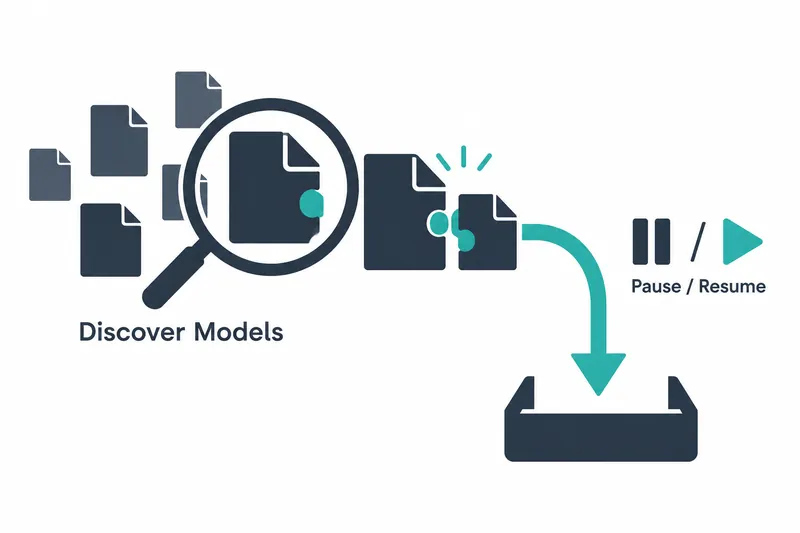
Developers using local language models can now search for models and download required files in the web interface. Selecting inference auxiliary files and pausing and resuming downloads bring discovery and file management together.
1. Connecting search to downloads
Released on October 17, 2026, llama.cpp b11714 adds a discovery view to the model management window. Users can find Hugging Face Hub models through recommendations or search and filter by file size range.
It targets GGUF files containing model weights. Selecting a repository shows documentation, statistics, and download buttons for each quantization. Quantization represents weights with fewer bits. Users also get memory-fit guidance.
Discovery is off by default; enabling it in settings provides sidebar access. Help says it requires multi-model router mode. It enables and locks Hub integration; disabling it turns integration off. Integration alone can show metadata.
2. Auxiliary files favor matching quantization
Draft-generation auxiliary files are separate files that assist the main model's inference. The download view offers a checkbox to include them and a type selector. DFlash takes priority over MTP; users can change the type or opt out.
Matching first looks for the exact same quantization in the main model's directory, then the closest bit count. The source gives an example pairing a 4-bit model with a 16-bit auxiliary file. Matching does not require equal bit counts.
Auxiliary files appear as compact subrows under the main model, not separate model rows. The main model's download controls manage both. A button adds missing auxiliary files to downloaded models. No inference speed measurements were given.
3. Pausing preserves files; canceling deletes them
Stopped downloads previously lost partial files; now they retain them for resuming. The server saves incomplete records, restoring paused states after restarts or page refreshes. Paused rows remain even if resume requests fail.
The server documentation gives the following example of an incomplete state. Unlike an active download, it indicates a file that has not finished downloading but is not currently being downloaded.
"status": {
  "value": "incomplete",
  "args": []
}
Pausing preserves downloaded data, while canceling or deleting from disk removes partial files. If only the auxiliary download is stopped after the main model is present, a distinct incomplete type allows resuming in a new view.
4. Convenience requires storage and shared-file management
Avoiding separate searches for models and auxiliary files means more transfer volume and storage for the extra files. Partial files remain on disk after pausing. Canceling unwanted downloads to reclaim space also becomes important.
Resuming requires unchanged files. Missing or changed saved version markers trigger a fresh download. If a range request returns 200 or 416 instead of a proper response, the partial file is deleted so the next attempt starts over.
Shared files also need care. The server rejects new requests targeting the same partial file as an active download. Model deletion preserves files used by other quantizations, but deleting a shared auxiliary file alone affects those too.
Judgment models that return probabilities cannot run in this web interface and are excluded from recommendations and search. Discovery covers selecting and downloading supported models, not running every model on the Hub.
This update brings model discovery and download resumption into one interface, while leaving auxiliary file selection and leftover file management to users.