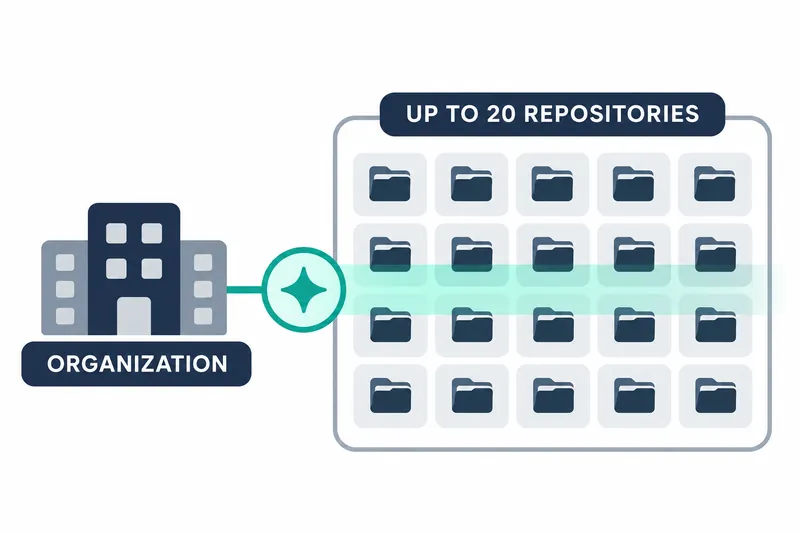
GitHub has released a public preview letting eligible organizations start AI security scans for up to 20 repositories at once. Security staff can select repositories in organization settings or on the organization's alerts page instead of starting scans individually.
1. Organization-wide bulk starts are now available
GitHub announced bulk starts for repository AI Scan in its November 16, 2026 changelog. Users can scan selected repositories when enabling organization settings or select them on the organization's code scanning alerts page. Starting a single scan from an individual repository's alerts page remains available.
Up to 20 repositories can be selected at once. Users can start initial scans while applying organization settings or later select repositories to scan from the organization's alerts page.
2. Results use existing security alerts
AI Scan looks for vulnerabilities, security flaws attackers could exploit, on a repository's default branch, its main development baseline. It extends analysis to languages unsupported by the existing code analysis tool CodeQL. It also seeks additional vulnerabilities in languages CodeQL analyzes.
Scans run separately from CodeQL. An AI agent, software that performs tasks autonomously, selects repository files and functions to inspect, analyzes them within a set time, and reports results.
Results appear alongside CodeQL alerts in the existing code security alert list. Users can view them in the repository's Security and quality tab and narrow results by selecting AI Scan in the tool filter. Existing workflows support assigning owners, linking issues, adding alerts to security campaigns, and assisted automatic fixes. No separate results management system is needed.
3. Configuration and execution permissions are separate
Organization owners and security managers can enable AI Scan in organization settings. Target repositories inherit the settings, and repository administrators can opt individual repositories out after the organization enables the feature.
Enterprise owners allow or block organization use through policy. The default policy disallows use, so the policy must allow it before organization settings are enabled.
Once enabled, users with write access to a repository manually start scans as needed. Managing organization settings and running analysis are separate roles.
Supported environments are github.com and GitHub Enterprise Cloud with data residency. Organization-owned public repositories need no active-committer license, a license based on the number of users with commit activity. Private and internal repositories require GitHub Code Security or GitHub Advanced Security. A GitHub Copilot license is not required.
4. Consider both credits and analysis scope
Each scan consumes Code Security AI credits, billing units for AI usage, charged to the organization's billing account separately from active-committer licenses. Included AI credits are used first. Once exhausted, or if none are included, usage is billed according to the applicable budget.
GitHub documentation sets detection-phase limits of up to 30 minutes and 150,000 AI credits to prevent excessive budget consumption. Organizations are advised to check included credits and usage budgets in their billing account when selecting repositories to scan.
Scans run manually on the default branch. Scheduled runs, automatic runs on code pushes, and self-hosted runners, which run jobs on users' servers, are unsupported. Duplicate alerts may remain despite processing to reduce overlap with existing CodeQL alerts. AI results may also be inaccurate, so people must review them before taking action.
Bulk starts reduce repetitive configuration and tool switching but can increase credit consumption and alert review workloads. Organizations should select repositories, set budgets, and manage results through existing security alert workflows.
By grouping scan starts previously scattered across repositories, this feature delivers greater value when easier execution is paired with credit and alert management.