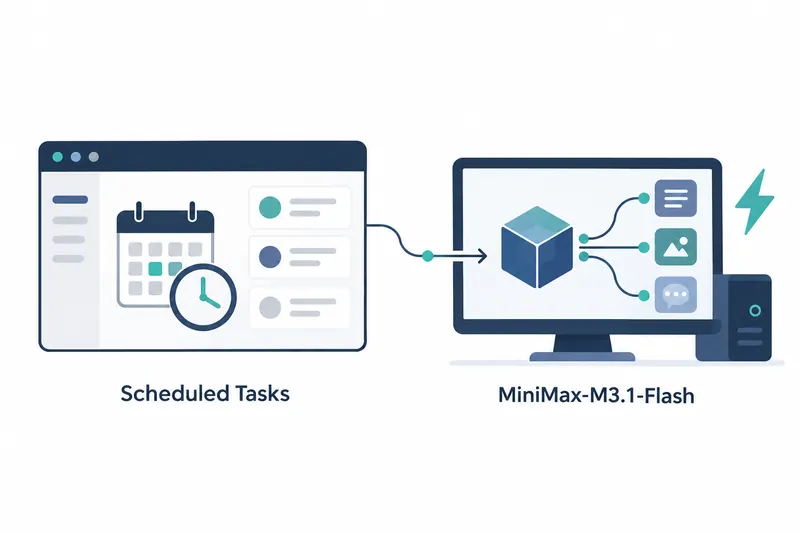
Unsloth's desktop app adds scheduled queries and on-device support for a new large model. Developers handling recurring queries can preset execution times and models, with each result saved in a new chat.
1. Schedule prompts and save results in new chats
Open Scheduled from the sidebar's More menu to run a prompt once, daily, on weekdays, weekly, or monthly. Each run saves its result in a separate new chat, keeping recurring checks apart from previous conversations.
Each task can use the currently loaded model, a model on the device, or one from a connected API provider. If the chosen model is not loaded, the app asks before loading it. An automatic-switching option skips confirmation while you are away. Notifications can be set for every run, failures only, or disabled.
2. Run MiniMax-M3.1-Flash on your device
Released on October 26, this version adds local support for MiniMax-M3.1-Flash, aimed at coding, tool use, and agent tasks. Its mixture-of-experts architecture selects certain expert paths for computation. Of its 428 billion total parameters, 23 billion are active parameters that participate in computation. It supports a context of up to 1 million tokens, the text processed at once. Files are also available in GGUF, a format for storing models.
The release also fixes a problem that prevented GGUF models from loading on some Windows PCs. Alongside the new model, it addresses an obstacle to running existing on-device models.
Local model choices have expanded, but the company says even the 1-bit quantized MiniMax-M3.1-Flash, which represents values at lower precision, needs at least 130GB of combined system and graphics memory. Scheduled tasks run only while the app is open and cannot use tools or web search. They reduce repeated input but leave the operational burden of keeping the app running.
3. Per-model settings and Mac performance changes
Per-model Run settings can be named and saved as reusable presets, then renamed, deleted, or switched. This groups execution settings for easy selection. The last selected preset applies the next time that model loads, including through the API. Switching away from a model and back requires less effort to restore its run settings.
Chat can remember sampling settings, which control factors such as response randomness, for each model or reset them to the model's recommended values. This helps users who tune response behavior differently for each model.
GGUF chats processing long prompts show progress and remaining time before generating an answer. Users can check input-processing progress before a response appears.
According to the company, chats using the MLX engine on Mac respond up to 16% faster when using an auxiliary model that drafts responses. Models with this auxiliary model built in use it automatically without a separate download.
4. Monitor API-served models in one place
The API page shows context usage, speed, and request counts for each served model. Alongside saved per-model settings, this helps developers monitor operations when connecting locally run models to other programs.
When running behind your own reverse proxy, an intermediary server that forwards requests to the app, you can enable trust for client addresses. Forwarded addresses are now untrusted by default. Enabling the setting below lets the app use addresses forwarded by the intermediary server to enforce per-client login attempt limits.
UNSLOTH_STUDIO_TRUST_FORWARDED=1The key change is delegating recurring query schedules and per-model settings to the app, making local models easier to integrate into everyday workflows.