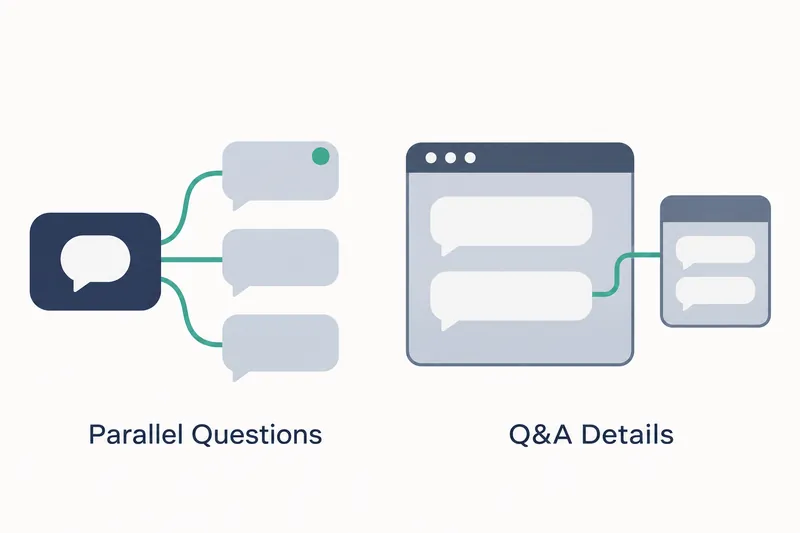
AI coding tool Qwen Code now gathers questions from delegated tasks on one screen and lets developers answer them in any order. Other tasks can proceed while one awaits a user response. Draft answers and errors are managed separately for each question.
1. Each question has its own answer order and draft
Released on November 7, v0.27.0 focuses on questions from server-managed agents, programs that perform tasks on a user's behalf. Previously, only the parent session could raise questions. This connection maintains task context and delegates work. The screen automatically selected one pending request. According to the pull request description, tests of the old code reproduced selection changes after list reordering and draft loss when switching questions.
The new screen shows questions alongside permission requests, but tracks selection, drafts, submission progress, and errors separately for each question. If two subtasks each request a decision, users can answer the second question first. The first task waits for an answer while the second continues writing its own results.
Draft answers persist when switching questions, so users can handle decisions they are ready to make first. A submission in progress or an error on one question does not block the screen for answering another. Developers handling multiple decisions on the same task screen can now choose their response order.
2. Tasks awaiting answers give up their execution slots
A task that asks a question releases only its own execution slot while awaiting a user response. Rather than discarding the task, the system preserves the identity of the environment for resumption and responsibility for resource cleanup. On resumption, it checks the original connection, state version, saved-state revision number, and execution environment provider's identity.
The benefit is that tasks awaiting answers no longer occupy execution resources and needlessly block other tasks. In return, the system must manage per-question state and verify that it recovers the exact original execution environment. The design returns tasks to the environment where they paused instead of starting them over in a new one.
3. Switching questions and refreshing behave differently
Users can select a question from the parent task screen's request list and switch to another question or permission request while drafting. The selection persists when the list is fetched again or new requests arrive. If a question's revision information changes, only that question's previous draft is cleared.
Refreshing reloads saved questions and accepted answers, while unsent input remains only in the current page's memory. The screen also distinguishes an accepted answer from resumed task execution. This helps users check how far a task has progressed after they send an answer.
The web task screen also adds a feature that explains a pending question's options in a separate task. It explains what the options mean without submitting an answer on the user's behalf. Users can understand the question before making their own decision.
4. Include actual resumption of two tasks in adoption checks
According to the pull request's verification report, targeted execution and recovery tests and web UI checks passed. Browser checks used a mock Java API to verify answering the second question first, per-question draft retention, error isolation, and refresh behavior.
Support covers shell sessions that use ordinary local files and commands to operate the system, plus built-in public subtasks one level directly below them. Waiting tasks still count toward the existing limits of 4 active subtasks and 64 cumulative runs. At reporting time, the integration scenario for two subtasks using a real server and MySQL had only been checked for compilation. Actual execution and comprehensive failure-recovery combination checks remained follow-up items in automated verification.
The public answer API and database structure remain unchanged. Guidance calls for deploying components that can read the new execution-resumption records before writing them. That read support must also be retained when rolling back to an earlier version.
Testers can prepare the repository's MySQL 8.4 and server prerequisites and a built command-line tool, then select the integration scenario. The report lists these selection arguments:
-Phosted-harness-mysql -Dit.test=HostedPublicWorkspaceIT#publicChildQuestionsAllowTheSecondChildToAnswerFirst integration-test failsafe:verify checkstyle:checkThe scenario checks that both tasks' questions remain pending, only the task receiving the second answer continues writing results, and the first waits with its original execution environment preserved. It is an adoption check that examines both on-screen question handling and the release of execution resources.
The core value of v0.27.0 is separating the order of waiting for user decisions from execution resource occupancy, rather than simply increasing parallel tasks.