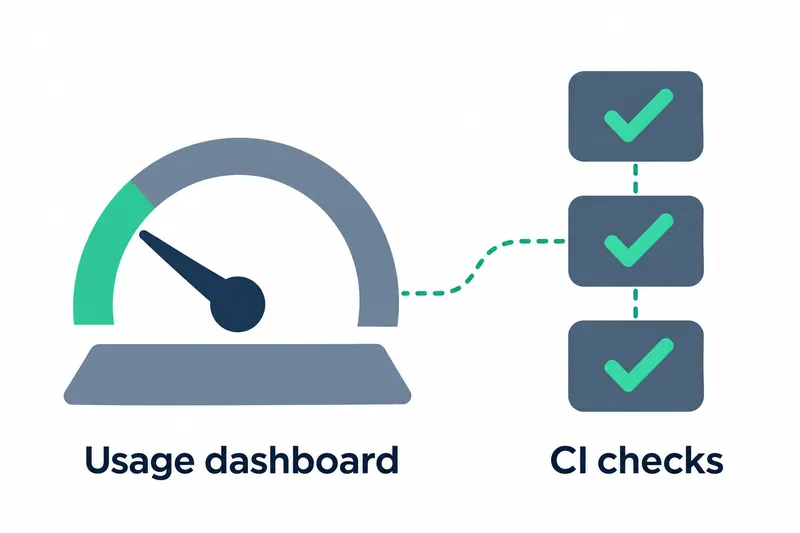
On November 4, Mistral made it easier to view its coding agent's conversation space, monthly usage, and pull request check status. Developers can inspect context contents and more easily find required check failures blocking changes.
1. A usage dashboard that breaks down conversation space
The new /context command shows estimated token counts by category for the context window, the conversation space a model can handle at once. It covers system prompts, the text giving the model its basic instructions, tool definitions, skills, and conversation content. It also shows remaining space and headroom for automatic compaction. Clicking the token counter at the bottom opens the same view.
The bottom bar now includes a context usage bar and a monthly usage meter. Yellow and red indicate that monthly usage is running out, with a separate indicator when pay-as-you-go billing applies beyond the quota. Conversation space and monthly quota can be checked in the same place.
The model name and thinking level have moved to the top border of the input box. Clicking this area opens the model selector.
In narrow terminals, the two meters first shrink to one cell each, then the pull request status indicator disappears, and finally the working directory path is shortened.
2. Distinguishing optional and required check failures
The pull request list shows each item's status with a colored dot. Automated checks run before merging code appear as colored ✓, ✗, and ○ symbols, with failed checks shown first. Developers can review problematic checks first in the list.
Pull request status is calculated from the latest runs of required checks. Skipped and neutral checks count as passing, and requests with only optional check failures are not marked as blocked. The focus is on whether required checks block a change, rather than simply whether any failures exist.
The pull request list in an open session refreshes every 1 minute. According to the company, these refreshes use about 1 GitHub API point per minute. Pull request links in the bottom bar also have colored status dots, so users can see status without opening the list.
3. Better image viewing and conversation controls
With image-capable models, the agent can now open image files using read_file. Binary files, which are difficult to read directly as text, are now rejected instead of returned as unreadable text. The file-reading tool's handling now aligns with file types.
Users can search previously entered prompts and select one to load it back into the input box. The search shortcut is Ctrl+R, while voice recording, which previously used that key, has moved to Ctrl+T. Users wanting to enter the same instructions again now have a way to find and reuse them.
A button to return to the latest message appears when users scroll up through a long conversation.
Errors, warnings, and configuration issues found at startup now appear as lines in the conversation instead of pop-ups. Status can now be checked within the conversation flow rather than through brief notifications in a corner of the screen.
4. Preserving manual configuration edits and active sessions
A fix prevents saving settings, changing MCP server settings for external tools, installing agents, or handling always-allow approvals from erasing manual edits or changes made in another session. Configuration files linked through symbolic links are no longer replaced with regular files. These fixes affect environments using multiple sessions or separately managed configuration files.
Integers larger than 2^53 in tool results or MCP tool input schemas no longer cause sessions to crash or fail to start or resume. This fixes workflow interruptions caused by tool responses containing large numbers.
Reopening a session closed during a task immediately opens the interface and continues the interrupted turn. Users can follow progress, approve tool execution, or stop the task.
A fix also prevents retried responses from being appended to incomplete responses and displaying the same text twice.
5. Reviewing background completion tasks and existing settings
A new setting disables both file completion and its background file indexing. Separately, the Rust CLI, a command-line tool, now builds its index only once when file watching for completion is disabled. The index is a list used to find files quickly. This reduces background watching but switches from continuously tracking file changes to one-time indexing.
On macOS, new worktrees in trusted repositories are cloned by default from a template checkout, a prepared working copy used for repository cloning. A worktree is a space for separate work within the same repository. The setting to disable cloning has been renamed, but existing configurations are automatically updated at startup.
The smart_approve_default setting has been removed. To make smart approval the default agent, use the following setting provided in the release notes.
default_agent = "smart-approve"A fix also addresses smart approval requesting approval on every tool call with models that cannot disable reasoning. Existing users should review the changed approval flow along with replacing the setting.
mistral-vibe 3.1.0 focuses on exposing usage and required check results while reducing interruptions caused by configuration preservation and session resumption issues.