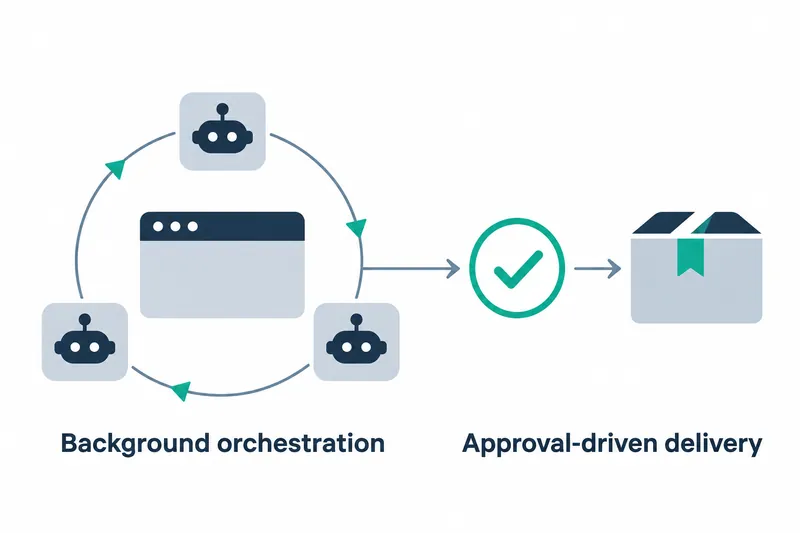
Agent Autoloop, a tool that lets command-line agents continue working and send notifications when human judgment is needed, has reached its first stable release. Developers can attach work rules to schedules or issues and resume work by answering questions in notification cards instead of constantly watching a terminal.
1. Events trigger agent work according to rules
Agent Autoloop receives events such as schedules, new issues, and operational alerts, routing them to a predefined agent and working directory. Further events for the same target are merged into one run while pending. The agent records its results in a final message and terminates its process, an instance of a running program.
Event intake, agent connections, notification channels, and deployment workflows can be replaced through plugins, interchangeable extensions. For example, a workflow can receive an issue, launch an agent to fix code, and request a decision through a messaging app. The structure separates how work is found from the tool that performs it.
2. Register schedules and working directories after installation
It supports macOS and Linux and requires Node 24. Git, curl, and an authenticated command-line agent are also required. The release notes provide these installation and trial commands:
curl -fsSL https://raw.githubusercontent.com/KKKKhazix/agent-autoloop/main/install.sh | sh
agent-autoloop try
The installation command tracks main rather than a specific version tag. The trial demonstrates an agent leaving a question and exiting, then resuming the original conversation to finish once the user replies.
Actual tasks are registered in ~/.agent-autoloop/rules.json. The README example has Codex summarize the previous day's notes and commits, recorded sets of repository changes, in a notes folder every day at 9 a.m. Rules specify when to run, which agent to use, and which folder to work in.
Saved rules take effect within seconds and can be validated with agent-autoloop check. If configuration errors occur, the hub, the central program relaying tasks and notifications, keeps using the previous valid rules and reports the error.
3. Put decision requests and deployment in the same workflow
When an agent needs to ask a question, it appends a prescribed response block to its final message. The hub sends the question title, description, and choices in a notification card. The README lists data deletion, service restarts, spending, and contacting people as examples of decisions to request.
The user's reply becomes input that resumes the original conversation. The agent can finish tasks it can handle independently or schedule a later check. If the response format is invalid, the hub asks it to rewrite only the final message within the same session, a continuing conversation history, rather than repeat completed work.
A delivery plugin that carries work through deployment is also included. Adding the deliver label, a tag for classifying pull requests, to a GitHub pull request triggers review, automated check waiting, merging, deployment waiting, and live service version verification in order. According to the README, configuration is read only from main, and pull request code is not downloaded and executed on the work machine.
4. Reduce waiting costs while leaving operational setup to users
While waiting for a human reply, the agent process exits and token usage stops. Pending state is stored in SQLite, leaving only a lightweight hub in the background. Instead of keeping an agent running, it retains the history and resumes the conversation when a reply arrives.
The benefit is less time watching terminals and lower agent resource use while waiting. In return, users must configure task rules and notification routes and make the necessary decisions. Model usage is billed to the user's account, so waiting-cost savings and model costs for actual work must be considered together.
5. Benchmarks show the task hub's overhead
The project README provides measurements from an Apple M5 Pro with 24 GB of memory and Node 24.21.0. Each write is a separate request, with a response sent after its transaction, a batch of data operations, is committed to disk. The figures below show the hub's startup time and resource use when receiving and dispatching tasks, rather than the agent's development performance.
Table: Agent Autoloop 1.0.0 hub benchmarks
Conditions: Apple M5 Pro, 24 GB, Node 24.21.0. Each write is a separate request, with a response sent after the transaction is committed to disk
Units: Startup and dispatch latency in ms, memory in MB RSS, write throughput in events/s
Task dispatch latency at p99 is 1.82 ms, meaning 99% of measurements were at or below that time.
Normal startup with 1.1 million records took 99.8 ms. The same README reports 43.1 seconds for the first startup rebuilding state from logs after a format change, with the same record count. Unlike normal startup, this requires log reconstruction, so it is a separate metric to consider when planning updates.
Validation includes a 200,000-step simulation with failures and duplicate requests, a procedure for testing behavior in virtual scenarios, and 1,000 process termination tests.
Command-line output and default notifications are currently in Chinese. Feishu was tested for actual delivery and button responses, but the four Webhook templates for automated notifications between services were verified only with a local mock server. Replying through those text channels requires the device to be able to reach the hub's public address.
The core of Agent Autoloop 1.0.0 is delegating more work to agents while keeping moments for human decisions within the workflow.