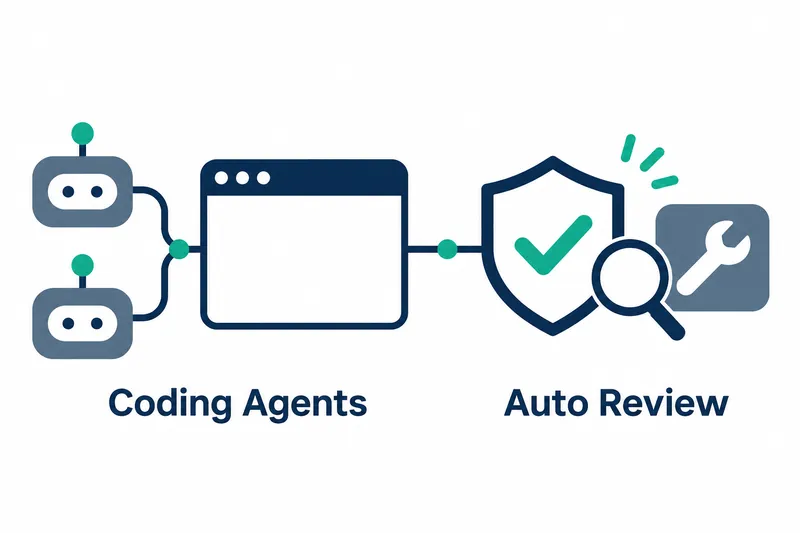
Open WebUI 0.13.1 adds coding agent selection in chats and automatic review of tool execution approvals. Developers can invoke coding agents in a familiar chat interface. Administrators can configure automatic execution of tool calls that a review model deems do not need confirmation.
1. Select coding agents in chats
Released on November 8, 2026, this version lets users select coding agents provided by Open Terminal from the model picker. Claude Code is a prominent example.
Codex and Pi can be selected the same way. Users can chat with agents by text or voice, select reasoning effort and service tier, and approve tool execution requests within the chat. Each chat connects to one agent.
Signing in to the new Tether desktop companion app adds your computer to the terminal menu's device list. Models, coding agents, and automations work with its actual files, repositories, and tools. Users can also access it through browsers on other devices, including phones.
The app supports Mac, Windows, and Linux. It initiates connections to the server, so no ports need to be opened. Terminal output resumes after a lost connection is restored. It sends desktop notifications even when the web page is not open.
2. A review model checks tool calls
Administrators can enable automatic permission mode alongside the existing allow-all and ask-every-time options. It is off by default. When enabled, it runs tool calls directly only if the review model decides approval is unnecessary.
The tool name, arguments, and a few recent messages are sent to the configured evaluation API for review. Calls that cannot be reviewed due to errors, timeouts, context overflow, or model input limits require user approval rather than running automatically.
Automatic review reduces repetitive approval work. In exchange, the conversation content and call details needed for the decision go to the configured evaluation API. Operators must decide both how much approval work to reduce and what information to send to the evaluation service.
3. Changes to tool-based chats and search
Tool-based chats now keep the beginning of each request consistent. This makes prompt caching easier: it reuses previously processed input instead of adding the same content anew each time. The project says this significantly reduces tool chat costs.
In native function calling, where models request function execution, memory, skill lists containing task instructions, and attached knowledge lists are passed as hidden tool results after user messages. Custom message-processing pipelines configured to alter default behavior may therefore receive a tool result as the final message.
With tool search enabled, the model finds tools through search instead of receiving the full list of hidden tools. Besides basic keyword search, it can use searches based on numerical document representations to find semantically similar tools, or a relevance evaluation API.
Multiple independent tools found through search can run in a single request. This reduces model round trips for finding and running each tool, lowering costs for tool-heavy chats.
Repeated calls are also handled differently. If a tool called with the same arguments fails twice in a row, the tool loop stops and the model writes a final answer. Reaching the tool call limit also prompts the model to answer without tools rather than ending with an error.
4. Less waiting for large chats and long pastes
According to the release notes, large chats open about twice as fast, while read-status changes and tag removal are 4–6x faster. The project reports that typing after pasting 16,000 lines takes 74 milliseconds per keystroke instead of 8.6 seconds, about 117x faster.
The first figures concern opening chats and changing status; the latter measures typing responsiveness after pasting long text. These improvements cover different tasks, so developers who paste long material into chats may find the reduction in input lag especially relevant.
5. Check chat behavior and data changes before deployment
Agent chats do not support regeneration, continuation, or editing and resending. If an agent's terminal disappears, that chat and new chats switch to the default model, but earlier responses retain the agent's name. The database schema, which defines how data is stored, changes. In setups with multiple workers, servers, or load balancing that distributes requests across servers, all instances must be updated together. These instances are individual running service units; rolling updates are not supported.
The project strongly recommends backing up the database and related data before updating production environments. It also cites security fixes and urges updating all deployments as soon as possible. Beyond enabling new features, deployment plans need to cover data preservation and a coordinated switchover.
In native function calling, models now read attachments through file tools. For models without file tool support, administrators can enable file preloading in model settings to supply attachment content.
This release brings coding agent access and tool approval into one chat, letting administrators choose both the extent of automation and the scope of information sharing.